

Project Manager
Agent. Sends the update every Friday.
The Friday project status is a job in Ai1, the AI agent platform by MyZone AI: a recipe that runs on a schedule. Every Friday the Project Manager reads the work in your Tasks app, checks each status against the work itself, and sends one update with where each project stands, the risks and what you need to decide. A live deploy always waits for your go-ahead.
One update, every project
Progress, risks and decisions in one read, not a dozen check-ins.
A status you can trust
Each status is checked against the work itself, not taken on trust.
Decisions in time
What needs you next week is at the top, so nothing waits until it is late.
At a glance
| Starts | A set time each week |
|---|---|
| Schedule | Every Friday, at a time you choose |
| Needs from you | Your team's task board, plus any sprint history, budget tracker or meeting notes you share |
| You get | One update: where each project stands, the risks and what you need to decide |
| If it can't finish | A passing problem, such as a brief outage, gets a limited number of retries. If the run still cannot finish, it goes to the job's owner instead of looping. |
| Agent | Project Manager |
| Checked | Each status against the work itself |
| Live deploys | Always wait for your go-ahead |
Projects rarely slip in one go. A blocked task here and a slow review there add up, and the first anyone hears is a missed date. A weekly update that names the risks early gives you time to decide while there is still room to act.
How this differs from the Project Manager on its own: the job sends the update on a fixed day, so you see where things stand without asking.
How it works
A simplified view. It reports; you make the calls.
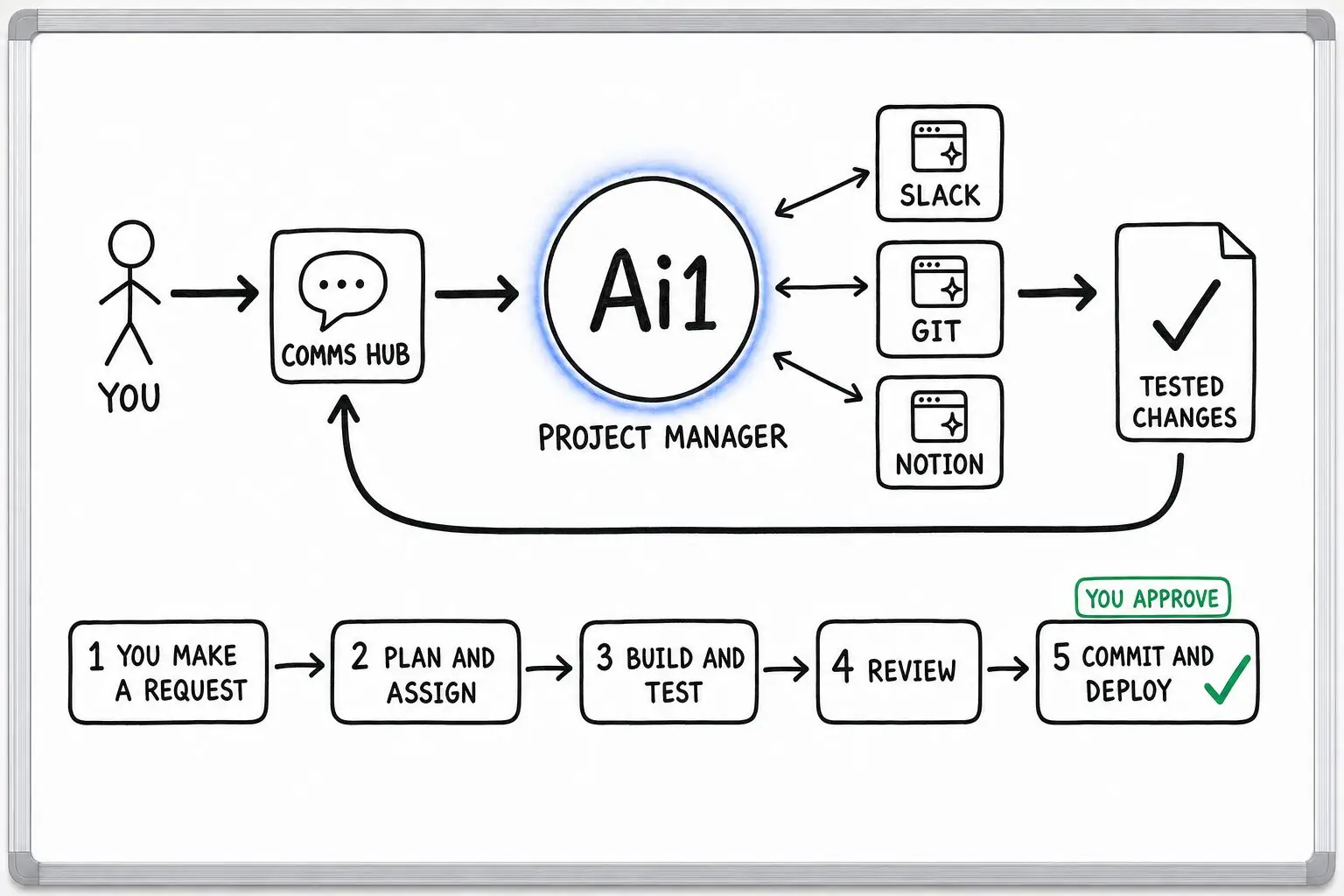
Every request with its status, priority and owner, plus the subtasks and checks that define done.
Compares what each task says with the work itself, rather than taking it on trust.
Spots what could slip, such as a blocked task or finished work waiting for review, and says why.
Where each project stands, the risks and the decisions for next week.
You make the decisions. A live deploy always waits for your go-ahead.
What you get every Friday
Example with a fictional business. Names and figures are invented to show the kind of update you get.
What it was asked: Where do our projects stand this week, and what do I need to decide?
| Booking app | At risk: 70% done, but at today's pace the last day for new features slips four days. |
|---|---|
| Why | The calendar sync task has waited three days for a supplier's test account, and finished work waits a day for review. |
| Website refresh | On track for the date you set. |
| Decide next week | Move gift cards to the next release, or keep them and accept the later date. |
| Live deploys | None this week. Each one waits for your go-ahead. |
Built-in guardrails
Here is how the Friday status keeps you in control.
Better together
The agents, apps and recipes behind this job.
Agent. Sends the update every Friday.
App. Holds every task with its status, priority and owner.
Recipe. Turns meeting decisions into tracked tasks.
Job. Starts each day with what needs you.
Common questions
From your team's task board, and any sprint history, budget tracker or meeting notes you share.
Each status is checked against the work itself rather than taken on trust.
It never writes code or edits project files itself. Changes go through your developer agent, and a live deploy always waits for your go-ahead.
No. It works on your task board: it plans requests, routes them to your developer and tester agents and reports progress. The Friday status is that report, sent on a fixed day.
Yes. You choose the day and the time. Friday afternoon is an example.
We will set up the Friday status on your own projects and walk you through the first update.