

Designer
Agent. Makes the pack on your brand and hands it over.
The social asset pack is a skill in Ai1, the AI agent platform by MyZone AI. The Designer runs it when a sale or campaign needs posts: it takes your brief, makes images on your brand book, sizes each one for its channel and checks them before you see the pack, ready to download and post.
Posts that belong together
Every image in the pack carries the same brand colours and style.
No resizing by hand
Each image arrives sized for the channel it is meant for.
Clean words and logo
Your headline and logo are added cleanly at publish time, never baked into the picture.
At a glance
| Starts from | One brief for a sale or campaign |
|---|---|
| Built on | Your brand book and guidelines |
| Sized | For each channel you post on |
| Checked | Accessibility and brand fit, before you see it |
| You get | A pack ready to download and post |
| Never | Bakes text or logos into the images |
A campaign needs the same idea in several shapes and sizes, one for each place you post. Made one at a time, by different people or tools, the colours wander and the posts stop looking like one campaign. Built as one pack, from one brief and your brand book, the images match and each one already fits its channel.
How this differs from the Designer as a whole: the agent also builds your brand book and designs screens; this skill is the set of campaign images it packages for social channels.
How it works
Four steps. Nothing goes out until you approve it.
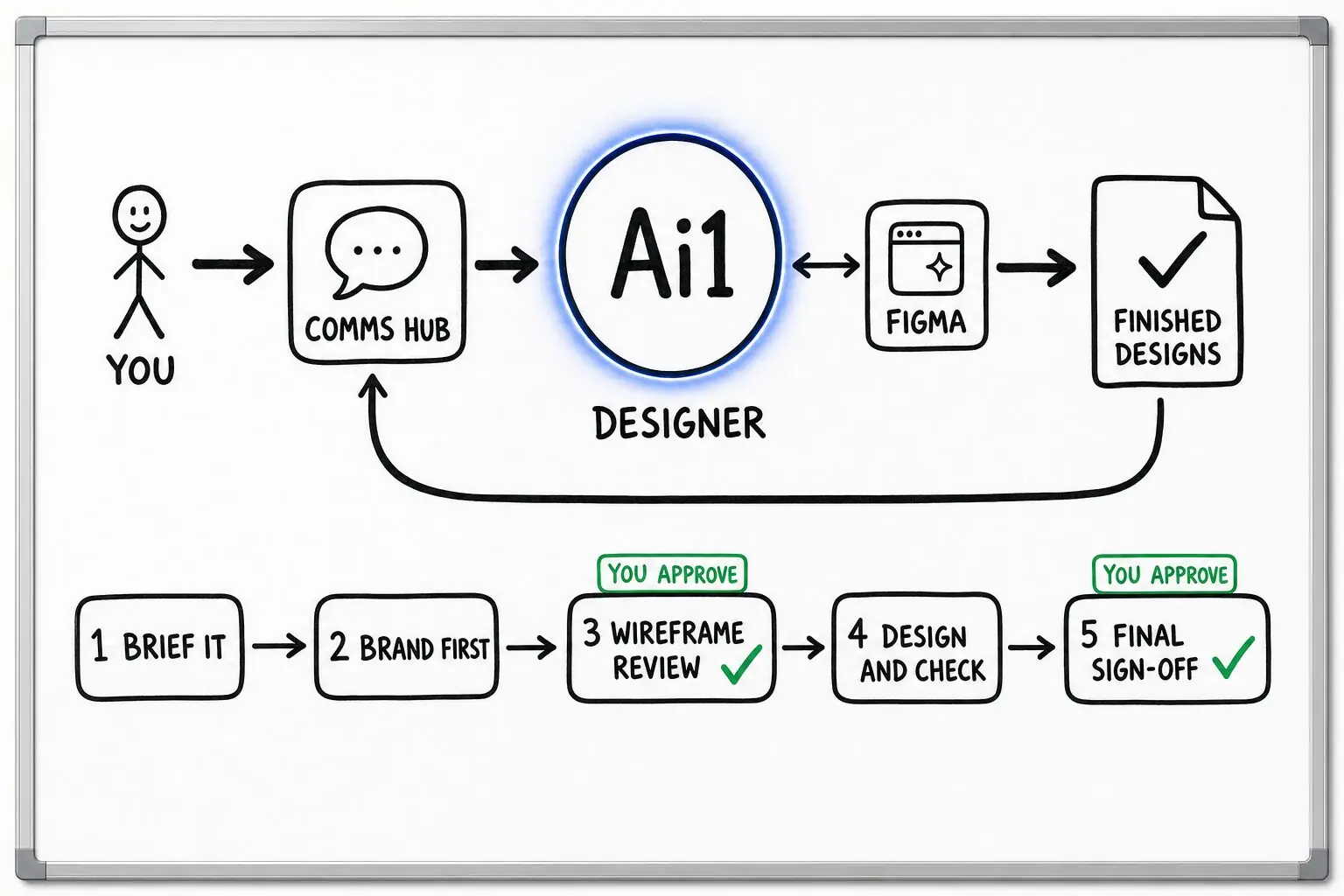
Say what the campaign is and what it needs. A few questions turn it into a written design brief.
Your stored colours and style set the look. With no brand yet, it builds a brand book with you first.
Images are made from the one idea and sized for each channel, then checked for accessibility and brand fit.
You review the pack and say yes. The files are then ready for you to download and post.
Example social asset pack
Example with a fictional business. Names and figures are invented to show the kind of output you get.
What it was asked: Our spring service sale starts Monday. We need posts for every channel we use, in our colours, by Friday.
| The idea | One scene. A freshly serviced bike leaning in a sunny shop doorway, used in every image so the pack reads as one campaign. |
|---|---|
| Sizes | One per channel. Each image is sized for the channel it will be posted on, so nothing needs cropping later. |
| Brand colours | Teal and orange. Taken from the shop's brand book and carried through every image. |
| Words and logo | Added cleanly. The line "Spring service, 20% off" and the shop logo are added at publish time, not painted into the pictures. |
| Before review | Checked. Accessibility and brand checks passed before the owner saw the pack. |
Built-in guardrails
How the social asset pack keeps you in charge of what goes out.
Better together
The agent that makes the pack, and the agent and skill around it.
Agent. Makes the pack on your brand and hands it over.

Agent. Plans the campaign, then the Designer makes the assets for it.
Skill. Sets the colours and style every image in the pack uses.
Common questions
A short brief: what the campaign is, such as a sale, and what it needs. It asks a few questions and writes it up as a design brief. Your stored brand book sets the look.
Not painted in. Text and logos are never baked into the generated images; they are added cleanly at publish time.
No. It does not publish. Once you approve the pack, the files are ready for you to download and post.
The Designer builds one with you first, from your website or through a guided intake, so the pack has a brand to follow.
Tell us about your next sale or campaign and we will show you the pack, sized for each channel and on brand.