

Content Repurposer
Agent. Mines the source, briefs the writers and checks what comes back.
The content repurposing kit is a skill in Ai1, the AI agent platform by MyZone AI. The Content Repurposer runs it on a text transcript of a talk, webinar, podcast or article: it mines the source once, briefs the Copywriter and the Blog Writer in one batch, then checks each draft for exact quotes, real numbers and correct speakers.
More from every recording
One talk becomes a set of channel drafts, without starting from a blank page.
No misquoted guests
Altered quotes and made-up numbers never pass the check.
Off the record stays off
Anything you ask to leave out is kept out of every draft.
At a glance
| Starts from | A text transcript, the channels you want and anything to leave out |
|---|---|
| Pulls out | Word-for-word quotes, claims, numbers, stories and hooks, each tied to its line |
| Drafted by | The Copywriter and the Blog Writer, in your brand's voice |
| Checked for | Exact quotes, real numbers, correct speakers and each channel's limits |
| Extras | A quote sheet with suggested alt text, and clip timestamps when the transcript has timings |
| Run by | The Content Repurposer |
| Never | Posts, schedules or sends, makes images or cuts video |
A quick AI summary of a talk can bend a quote or invent a number. The kit ties each quote, claim and number to the line it came from, so every draft can be checked against what was actually said before you see it.
How this differs from the Content Repurposer as a whole: the agent is the editor you talk to about your recordings; this skill is the routine behind each kit, from the safety check on the transcript to the final word-for-word check.
How it works
Five steps. Every draft is checked before the kit reaches you.
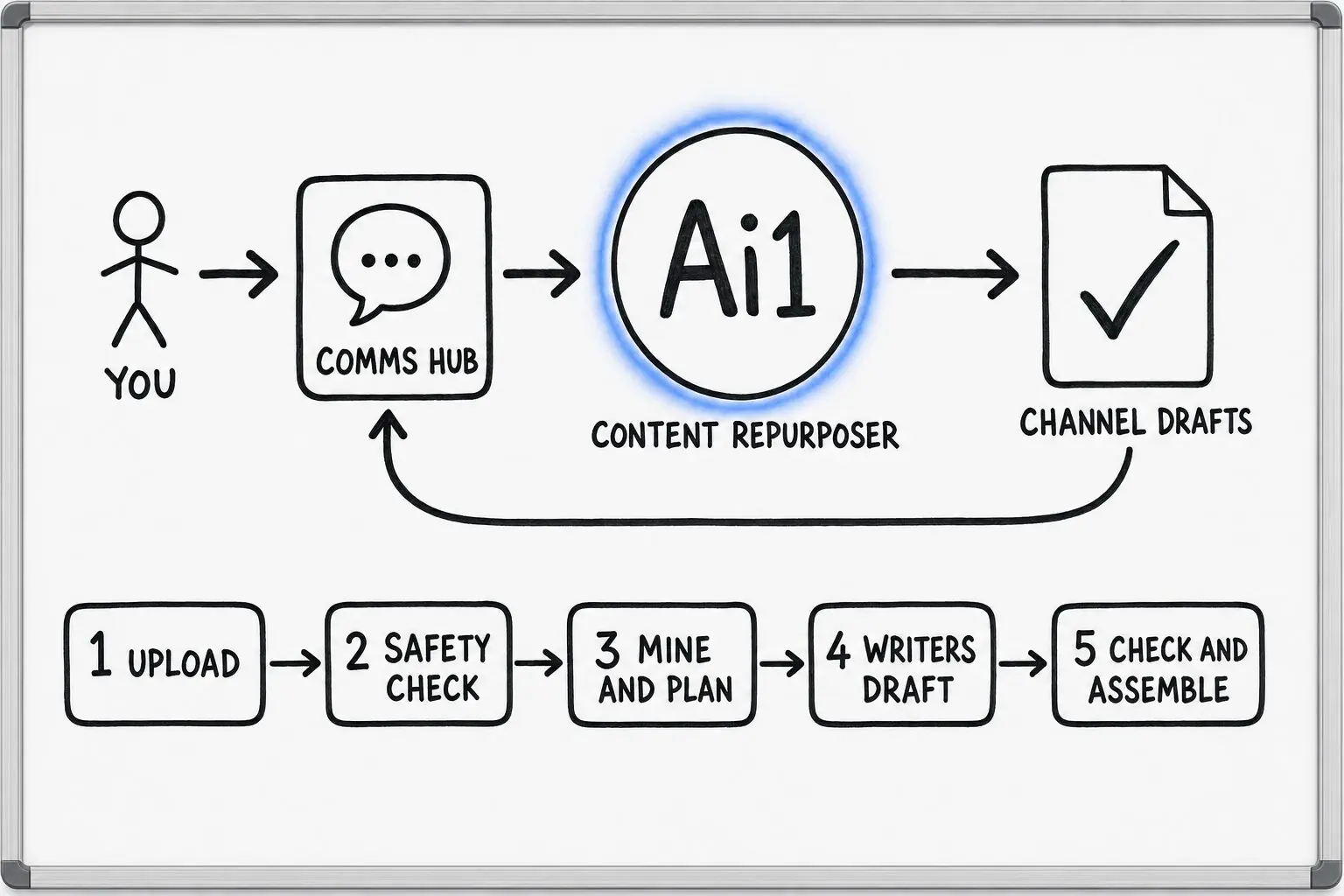
Send the text transcript, the channels you want and anything that must stay out.
The transcript is checked for length and for hidden instructions first.
Quotes, numbers, stories and hooks are tied to their lines, and each draft gets its angle.
Drafts from the Copywriter and the Blog Writer are checked for exact quotes, real numbers, correct speakers and channel limits.
The private kit comes to you. A trimmed quote waits for your yes or no, and you decide what to publish.
Example content kit
Example with a fictional company. Names and figures are invented to show the kind of output you get.
What it was asked: Turn our spring planting podcast episode into a LinkedIn post, a newsletter email and a quote sheet, and leave out the wholesale prices we mentioned.
| Quote sheet | Six quotes matched word for word to the transcript, each with its speaker credited and alt text suggested. |
|---|---|
| LinkedIn post | Passed. Every quote and number in it appears in the episode. |
| Newsletter email | Held back. It mentioned a wholesale price you asked to leave out, and the kit gives the reason. |
| Trimmed quote | Waiting for you. Eight words were cut from the middle of one quote from Hollyfern Garden Centre's head grower, so you accept or reject it. |
Built-in guardrails
How the content repurposing kit keeps your words and your channels in your hands.
Better together
The agent that runs the kit, the writers it briefs and a skill that picks up the finished posts.
Agent. Mines the source, briefs the writers and checks what comes back.

Agent. Turns the mined quotes and ideas into a full blog article draft.

Agent. Makes quote cards and other visuals from the quote sheet and alt text.
Skill. Takes signed-off posts from a kit, checks them and slots them in your calendar.
Common questions
A text transcript uploaded as a file, from a talk, webinar, podcast interview or long article. Tell it which channels you want and anything to leave out.
The Copywriter writes the social posts and email, and the Blog Writer writes any blog article. Drafts use the voice of whoever publishes on that channel, such as your brand, while quotes stay in the speaker's own words.
No. It makes drafts only. Posting, scheduling and sending are switched off, and everything stays a private draft until you choose what to publish.
It writes suggested alt text and a list of clip timestamps when the transcript has timings. Images and design belong to the Designer, and it does not cut video.
Bring a transcript from a talk or podcast and we will show you the checked kit it becomes.