

Social Media Lead
Agent. Plans the calendar, checks each post and prepares the import file.
The social calendar is a skill in Ai1, the AI agent platform by MyZone AI. The Social Media Lead runs it: your content pillars, channels and posting rhythm become dated slots, each finished post is checked against its channel, slot and pillar, and a checked batch becomes a Hootsuite bulk-upload file you import yourself.
A feed that keeps its balance
Your pillars are spread across the weeks ahead instead of filled in a rush the night before.
Mistakes stopped early
A post on the wrong channel, in the wrong slot or under the wrong brand is caught before it reaches your scheduler.
The final say stays yours
Reviewing the file and importing it yourself is the approval, every time.
At a glance
| You give it | Your content pillars, channels and how often you post |
|---|---|
| Calendar | Dated, time-zone-safe slots, each tied to one pillar and one channel |
| Checks | Each finished post against its channel, slot and pillar |
| Export | A Hootsuite bulk-upload file with a review checklist |
| Brands | One brand per calendar, batch and file |
| Run by | The Social Media Lead |
| Never | Writes posts, publishes or logs in to your accounts |
A scheduler posts whatever you put in it. If a post lands on the wrong channel, in the wrong slot or under another client's brand, it goes out as it is. Planning the slots first and checking each post against its slot catches those mistakes while they are still easy to fix.
How this differs from the Social Media Lead as a whole: the agent also keeps a record of every batch and handles pauses; this skill is the plan, check and export routine behind each month.
How it works
Four steps. Nothing is published for you.
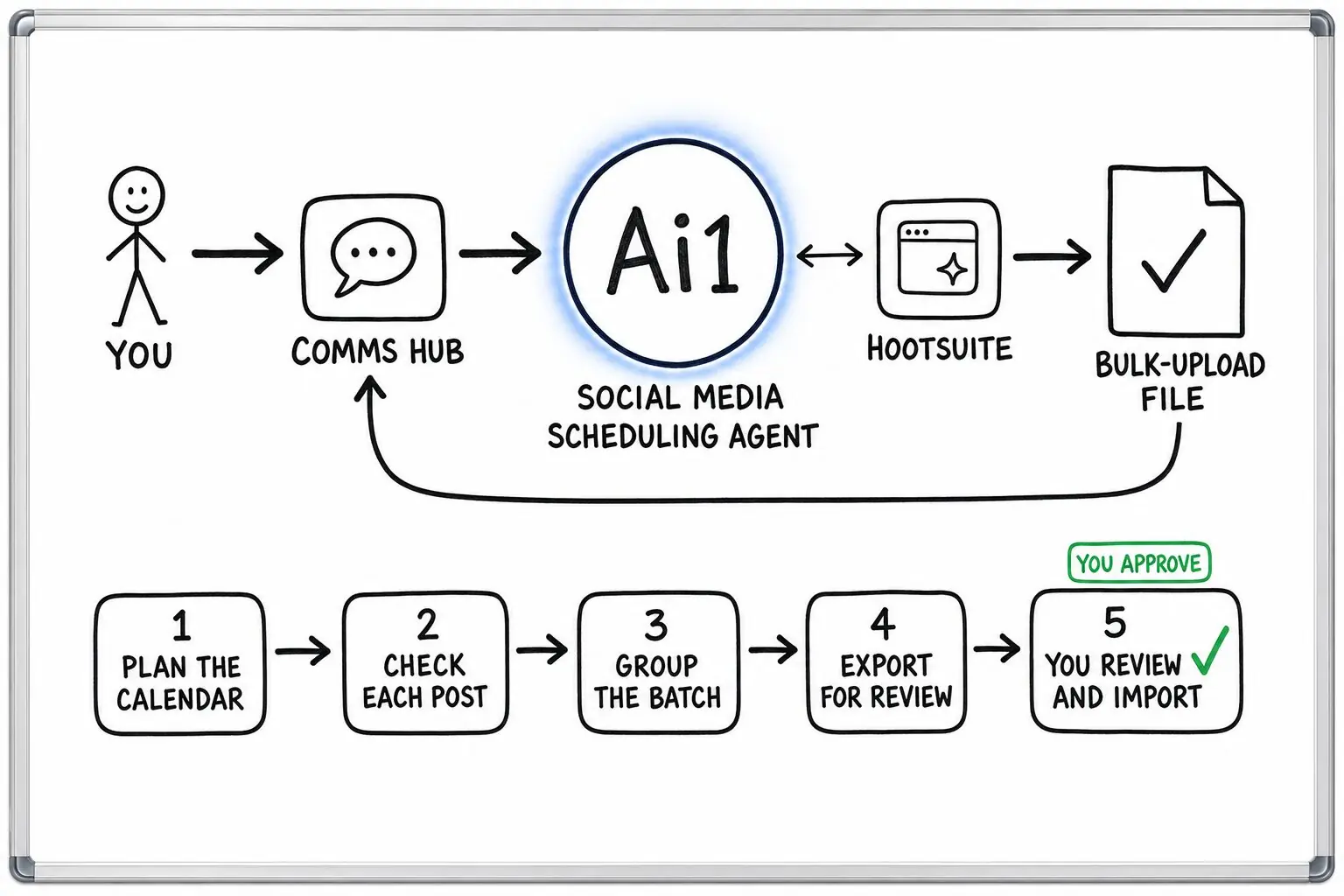
Your themes and posting rhythm become dated slots, each tied to one pillar and one channel.
A post that does not fit comes back with a plain reason and the open slots where it would.
Posts that pass are grouped into a single batch and packed into a bulk-upload file with a checklist.
You check the file and import it into your scheduler yourself, then report back how the rows matched.
Example social calendar
Example with a fictional company. Names and figures are invented to show the kind of output you get.
What it was asked: Plan our March LinkedIn posts around patient tips, the team and clinic news, slot the posts our writer finished, and give us a file to import.
| Month plan | Nine slots on Mondays and Wednesdays, each tied to one theme: six filled and three open. |
|---|---|
| Post checks | One did not fit. A team post sat in a clinic news slot, so it came back with the reason and two open team slots. Its wording was not touched. |
| First batch | Four posts for 2 to 13 March in one bulk-upload file for Pellbrook Physiotherapy, with a checklist of every post. |
| Import | Your sign-off. The clinic manager imported the file, and the batch record notes that every row matched. |
Built-in guardrails
How the social calendar keeps your accounts in your hands.
Better together
The agent that runs the calendar, and the agents and skills it works with.
Agent. Plans the calendar, checks each post and prepares the import file.

Agent. Writes the post copy and captions that the calendar checks and places.

Agent. Sets the channel strategy behind your pillars and posting rhythm.
Skill. Turns a long talk into checked drafts you can sign off for the calendar.
Common questions
The few themes your posts return to, so your feed keeps a balance. Every slot in the calendar is tied to one pillar and one channel, spread across each week.
No. Your content writer or the Copywriter writes them. The calendar checks and places finished posts, and a post that fails goes back to its writer with the reason.
A checked batch is packed into a bulk-upload file with a checklist of every post. You look it over, choose the destination account and import the whole batch in one go.
Yes. It marks that batch as paused and reminds you to pause the matching posts in your scheduler as well.
Tell us your themes and channels and we will show you a checked calendar and the file you would import.