
Time tracking
App. Records the hours each project is measured against.
Operations is an app inside Ai1, the AI agent platform by MyZone AI. It sits on the same data as your CRM and time tracking, so the numbers line up.
Problems seen early
Planned against actual hours shows a project drifting before it is late.
Budgets in view
Budget use per project or deal sits beside the work.
Billing that matches the work
Invoices and expenses live on the same project as the hours.
At a glance
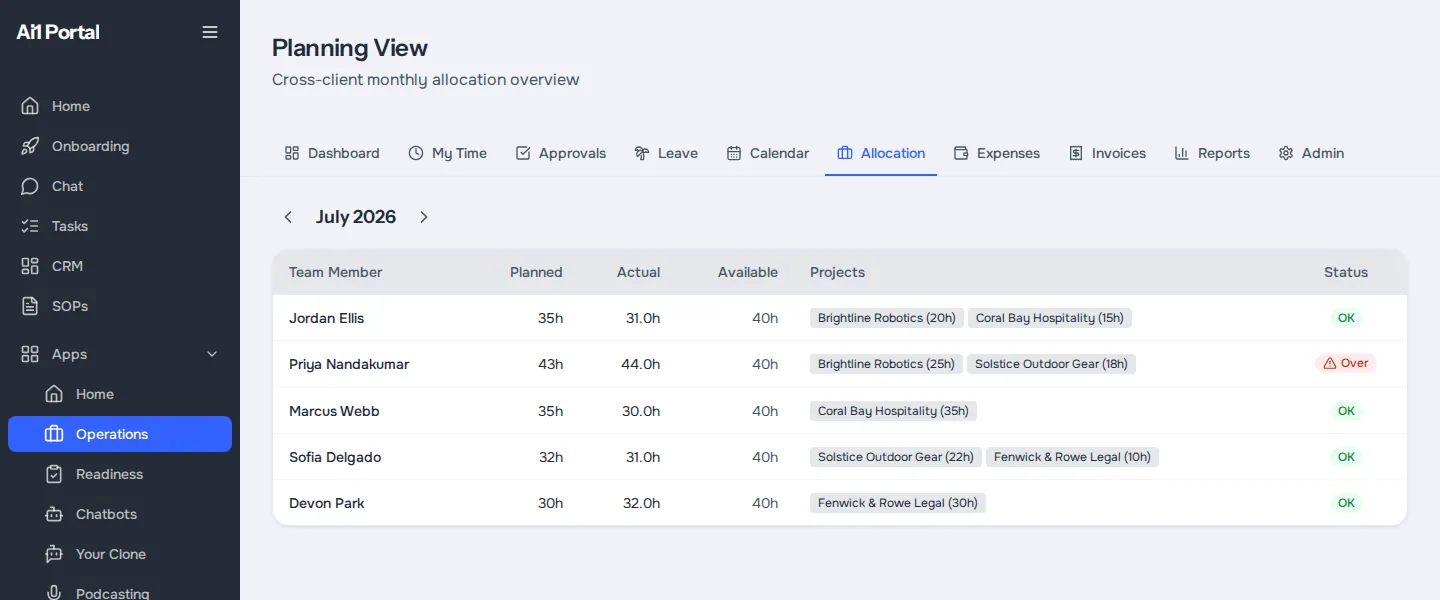
| Plan | Monthly allocations across clients |
|---|---|
| Track | Planned against actual hours |
| Spend | Expenses with receipts and approval |
| Bill | Invoices with your currency and terms |
| One project page | Time, expenses, invoices and activity together |
A separate project tool, expense app and invoicing tool each hold part of the picture. Operations keeps allocations, hours, expenses and invoices on the same project, so budget use is always current.
Approvals in bulk. Approve or reject a batch of expenses at once. Everyone in the batch sees the same reason.
Change history. Open any allocation to see every change made to it.
Your settings. Default currency, payment terms, invoice numbering and working hours are set once for the module.
Inside the app
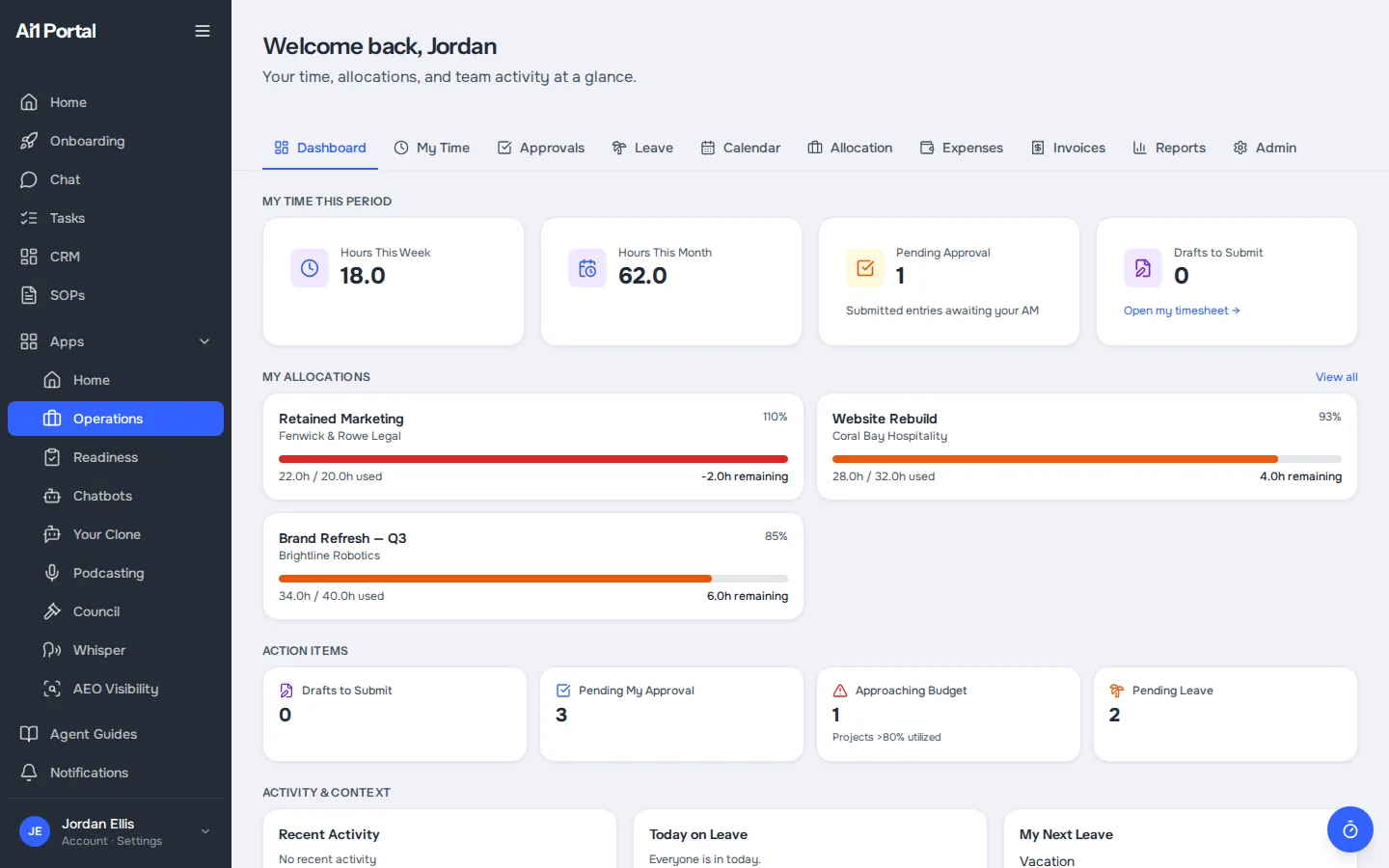
Real app screens, shown with a demo account. Every name, company and figure in them is sample data.
How it works
Operations follows a project from the first allocation to the final invoice.
Assign people to clients and projects for the month.
Hours logged against the project show on its page.
Expenses are added with receipts and approved.
Create the invoice from the same project, with your terms.
Better together
Operations shares its data with these.
App. Records the hours each project is measured against.
App. Holds the clients, deals and vendors Operations uses.

Agent. Turns system activity into a report of time and AI cost per customer.
Common questions
Its time entries, expenses, invoices, allocations and recent team activity, for the date range you choose.
It compares planned hours from your allocations with the actual hours logged, and shows budget use per project or deal.
Yes. Invoices use your default currency, payment terms and numbering, and can carry notes for the client.
From the companies in your CRM tagged as a vendor, or you can add a new one with an expense.
Yes. Operations is part of Ai1 and ready to use.
Book a call to walk through one of your own projects, from allocation to invoice.