
Operations
App. Turns approved hours into project budgets and invoices.
Time tracking is an app inside Ai1, the AI agent platform by MyZone AI. Your agents can read and write it, and it replaces paid tools such as Toggl and Harvest.
Billing from real hours
Approved time, rates and projects sit together, ready to bill.
Capacity in view
Hours worked against hours available, for each person.
One place for time off
Leave requests and upcoming leave live beside the hours.
At a glance
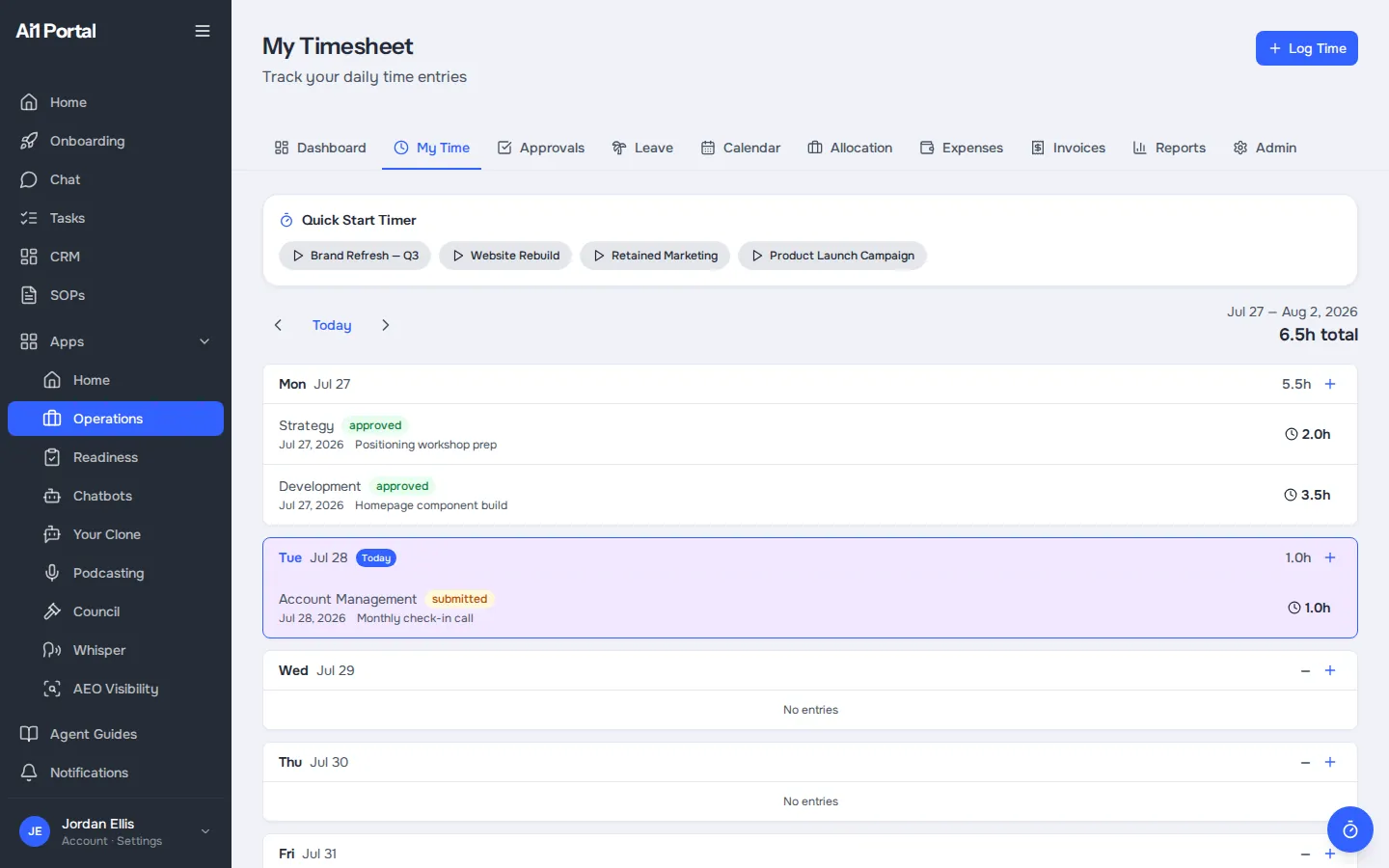
| Log | Daily time against a project and service type |
|---|---|
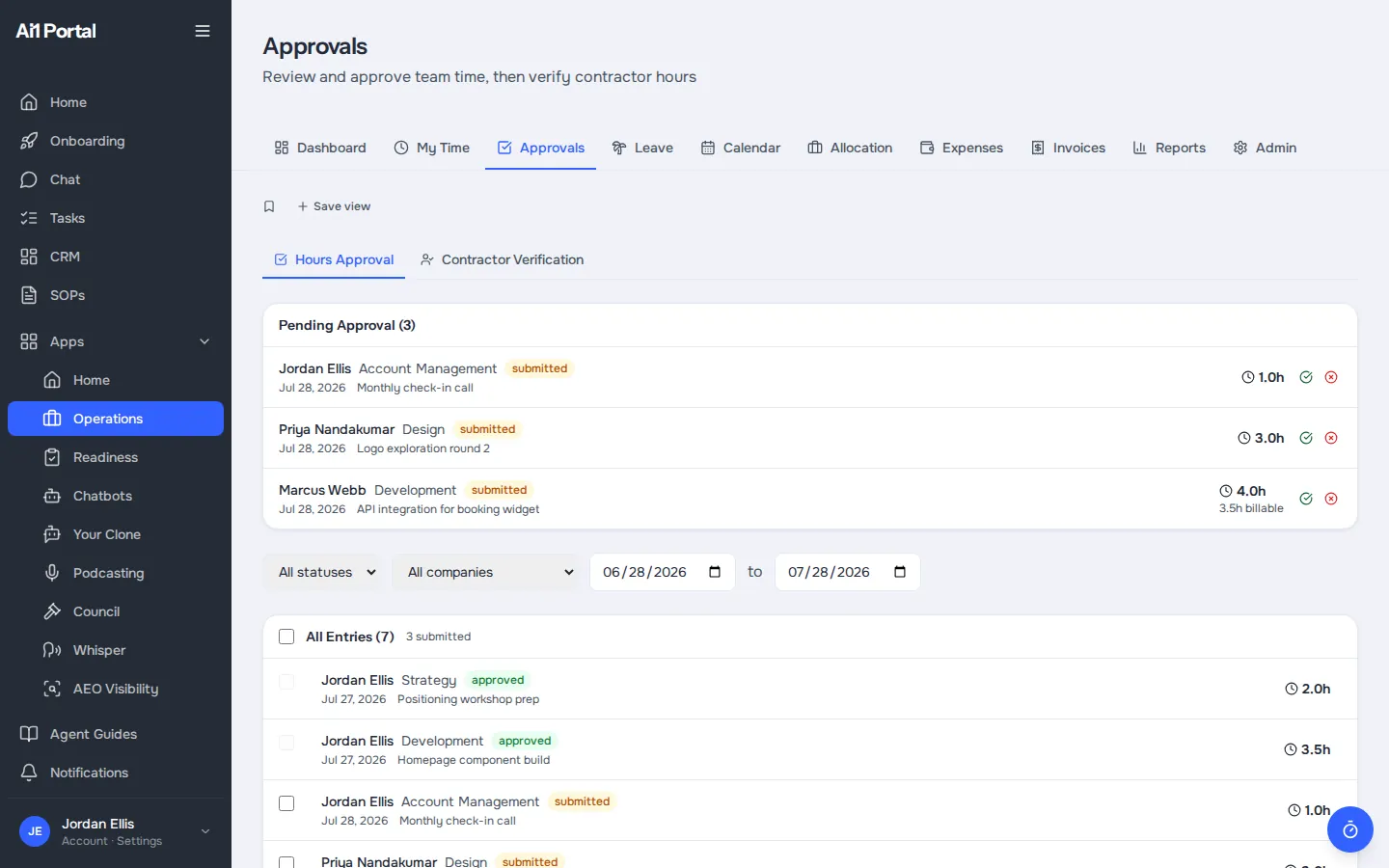
| Approve | Managers approve or reject, with a reason |
| Rates | Hourly rates per service type |
| Reports | Totals by person, project or service type |
| Time off | Requests and upcoming leave |
A separate time app keeps hours away from your projects, clients and billing, and is one more licence to pay. Here the hours sit on your own Ai1 server with the rest of your data, and your agents can read them.
Capacity. Hours worked against hours available, for each team member.
Time off. Requests, approvals and upcoming leave live next to the hours.
Inside the app
Real app screens, shown with a demo account. Every name, company and figure in them is sample data.
How it works
Time tracking keeps each hour attached to the project and rate it belongs to.
Record the day's time against a project and service type.
A manager approves the entries, or sends them back with a reason.
See totals by person, project or service type, and hours against capacity.
Approved hours and rates sit with the project, ready for invoicing in Operations.
Better together
Where your hours go next.
App. Turns approved hours into project budgets and invoices.

Agent. Estimates the human time and AI cost behind each customer.

Agent. Answers time-off questions and keeps the staff roster.
Common questions
A project and a service type, so hours, rates and budgets stay linked.
A manager reviews and approves team time. Rejected entries go back with a reason.
Yes. Contractor hours are listed and verified separately.
Yes. Your agents can read and write time entries, so reports and billing draw on the same numbers.
Yes. Time tracking is part of Ai1 and ready to use.
Book a call to see your team's hours, approvals and rates set up together.