

Sales
Agent. Reads the account before drafting a proposal or outreach, and holds both for your OK.
The agent-friendly CRM is an app inside Ai1, the AI agent platform by MyZone AI. It was the first app we built, it replaced our own paid CRM, and it runs on your own private server.
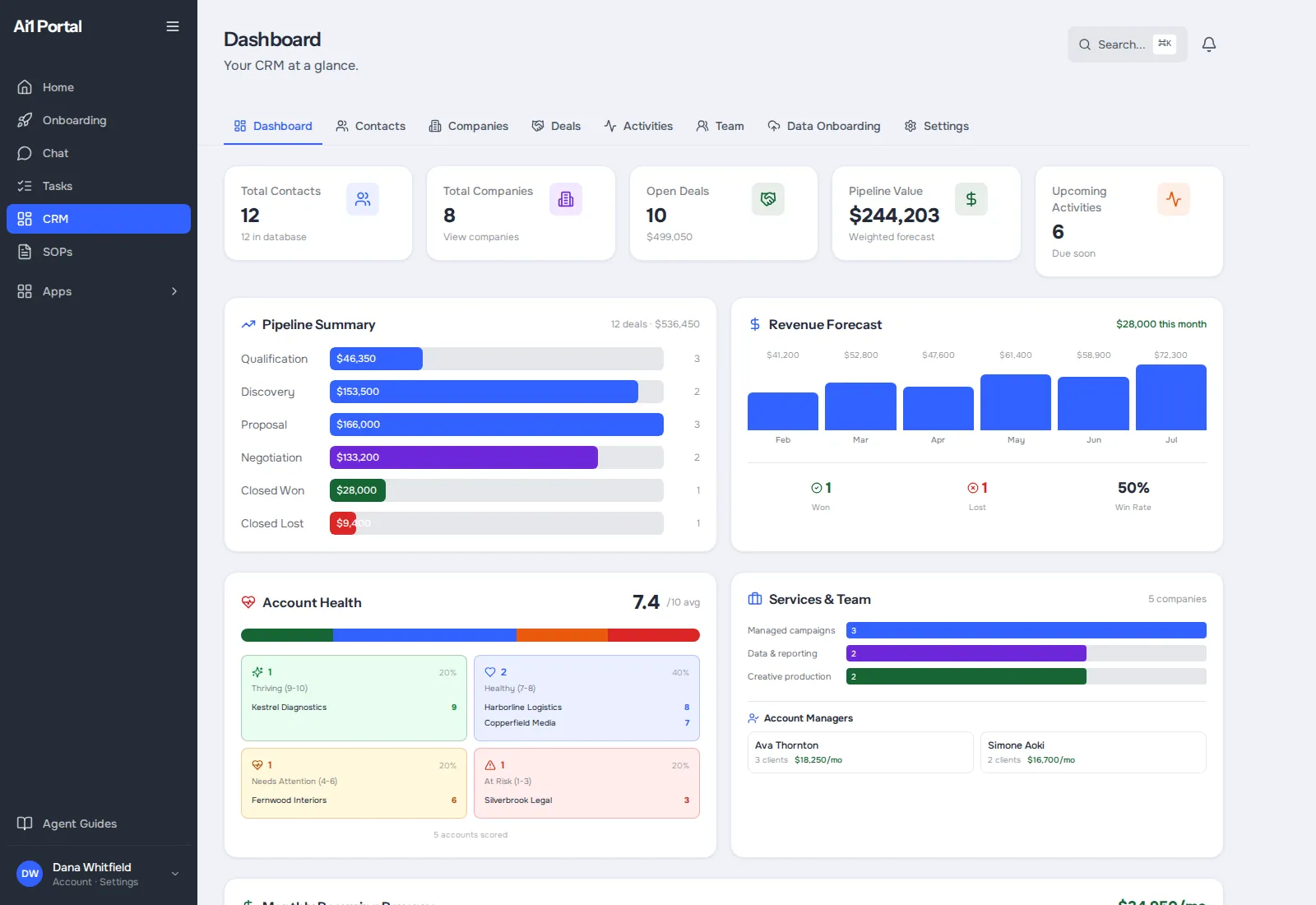
One record for every customer
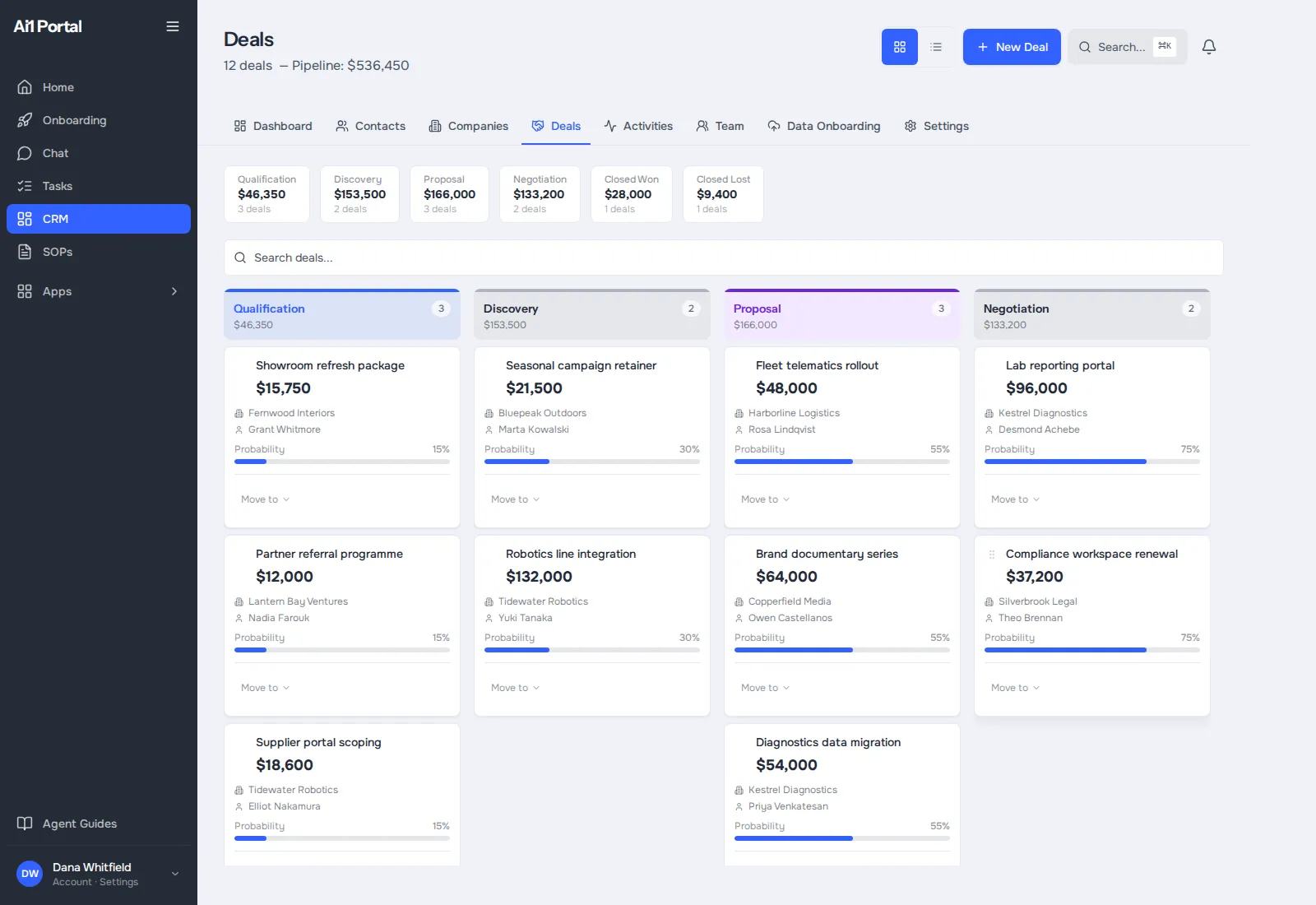
Contacts, companies and deals sit together, so nobody works from an old spreadsheet.
Agents start from the facts
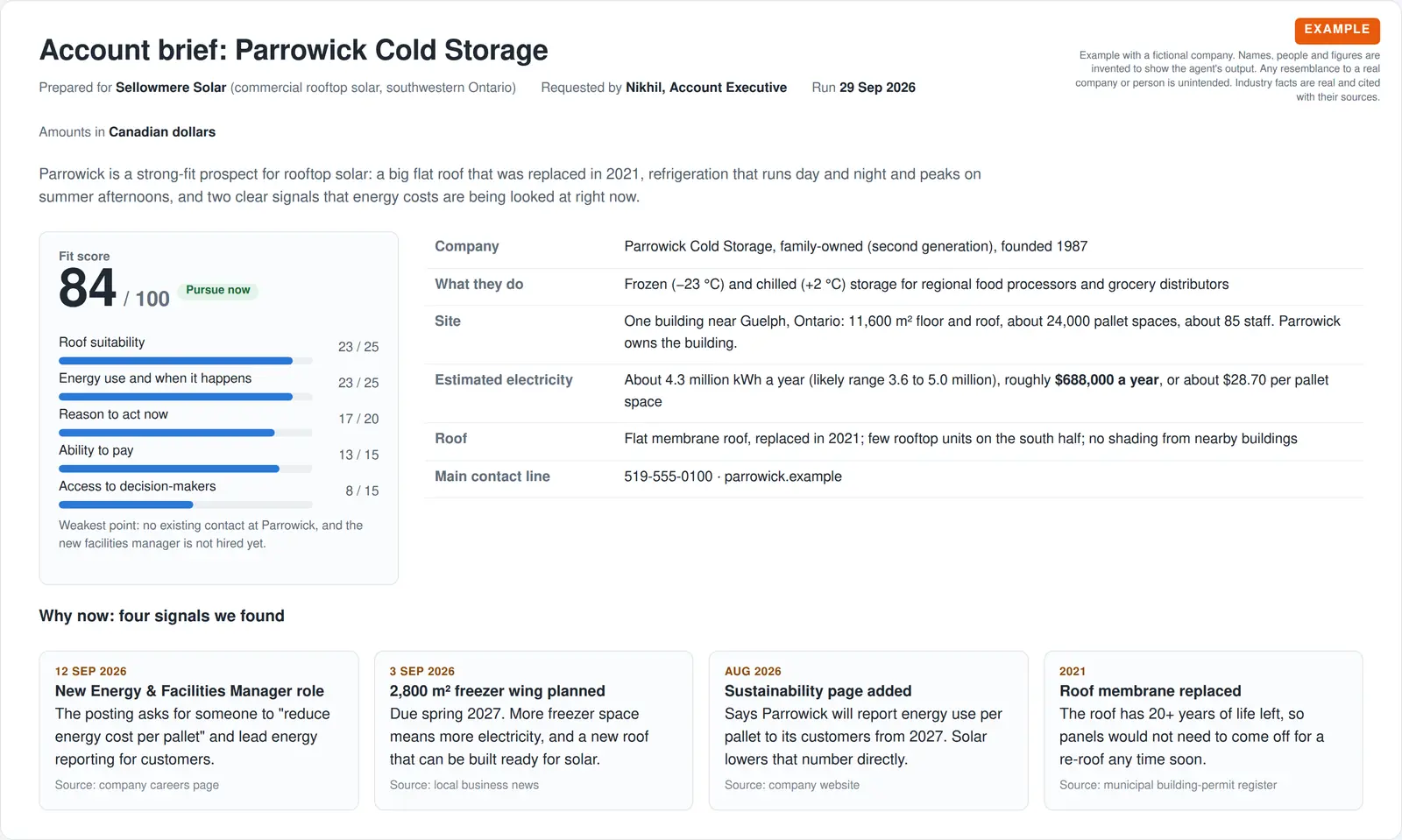
Before an agent drafts a proposal or an email, it reads what you already know about the customer.
Stop renting a CRM
Smaller businesses use it as their CRM and retire a paid one, like HubSpot or Pipedrive.
Talk to the agent
Many clients never open the CRM. They talk to the agent in chat or Slack, and the agent reads and updates the app for them. The app is there so your agents keep one tidy set of records and spend less on AI usage looking things up.
Agent. Reads the account before drafting a proposal or outreach, and holds both for your OK.

Agent. Keeps the CRM the one trusted record of every lead and client, with a trial run before anything changes.
Ask in plain words: "Who decides at the warehouse we meet next week?" The agent reads the app and answers.
At a glance
| Keeps | Contacts, companies, deals and your sales pipeline |
|---|---|
| Used by | Your team and your Ai1 agents, with the same records |
| Replaces | Paid CRMs such as HubSpot and Pipedrive, if you choose |
| Status | Live. It was the first app we built, and we run our own sales on it |
| Your data | On your own private server. Export it any time |
Most CRMs were built for people clicking through screens. AI agents need the same records in a form they can read and keep up to date. In Ai1 the CRM is the shared address book for the whole platform, so every agent knows who a customer is and what has already happened.
Already happy with your CRM? Ai1 also works with the CRM you already use. This app is for teams that would rather own theirs.
Inside the app
Real app screens, shown with a demo account. Every name, company and figure in them is sample data.
Example account brief
A fictional company, to show the kind of brief you get.
What it was asked: We have a meeting with a cold-storage warehouse next week. Who are they, and why would they buy now?
How it works
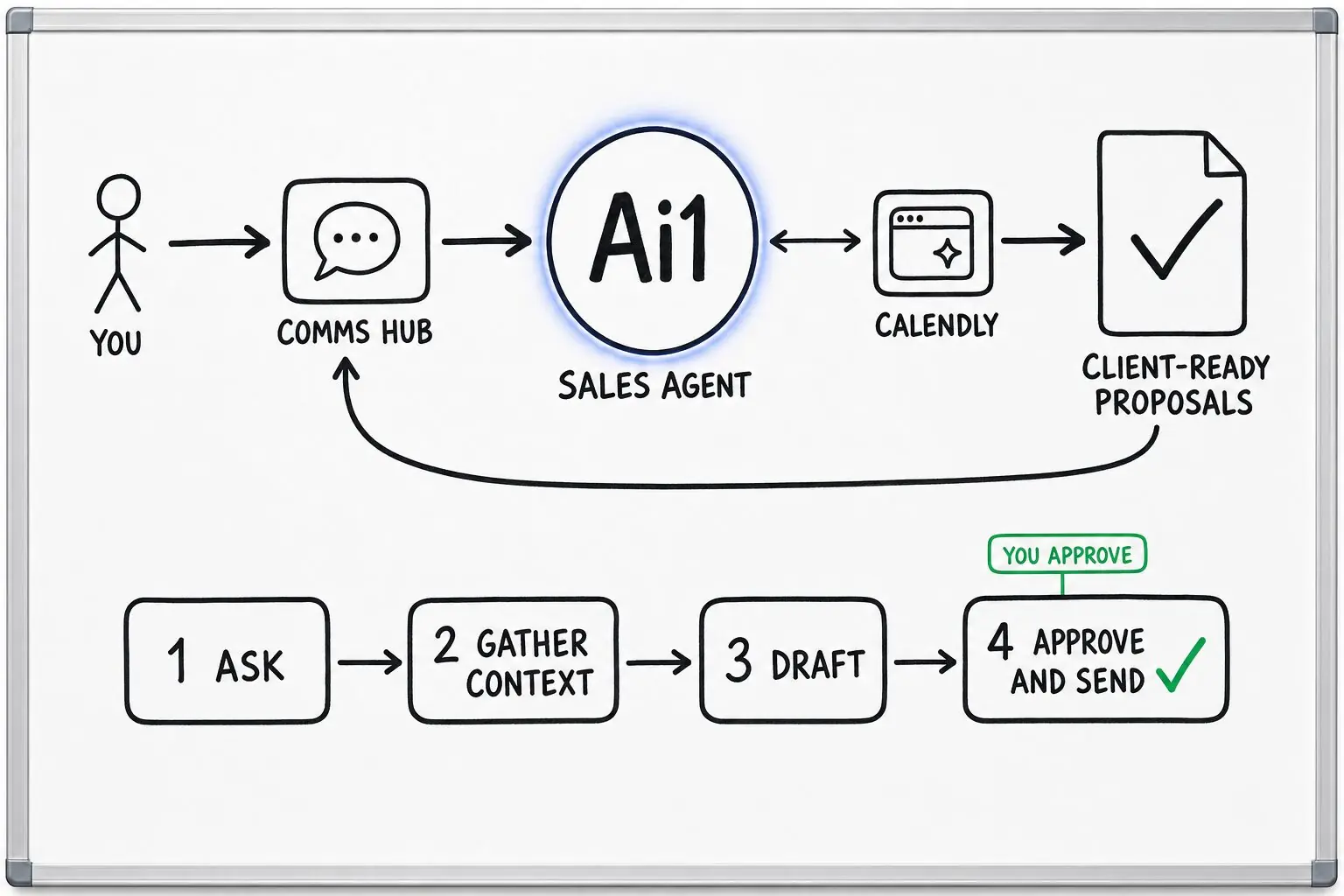
The CRM keeps the record. Agents do the legwork around it, and anything that reaches a customer waits for your OK.
From a form, an email or a call. The contact and company go into the CRM for the whole team.
The Sales agent reads the record and builds an account brief: who they are, why now and who decides.
The agent drafts the proposal or email. Nothing is sent until a person approves it.
The record and the deal stage are updated, so your pipeline is always up to date.
Built-in guardrails
The CRM runs inside Ai1, under the same rules as every agent.
Better together
The agents and apps that use the CRM.
Agent. Account briefs, proposals and outreach, held for your OK.

Agent. Meeting prep that knows who is who.
App. Follow-ups land on one list with an owner.
Common questions
For many smaller businesses, yes. The CRM holds contacts, companies, deals and your sales pipeline, which covers what most small teams use a paid CRM for. It replaced our own paid CRM, and we run our own sales on it today.
If you rely on a feature your current CRM has, bring it to the call and we will tell you plainly whether the agent-friendly CRM covers it. If it does not, you can keep your current CRM and still use Ai1.
No. Ai1 also works with the CRM you already use, and the CRM Synch agent can keep it the one trusted record of every lead and client. The agent-friendly CRM is there for teams that would rather own their CRM than rent it.
Some teams start with their existing CRM and move later, once they have seen the agents working with their records.
Agents can read and update records so your pipeline stays current, for example logging a call or moving a deal to the next stage. Anything that goes to a customer, such as a proposal or an email, waits for a person on your team to read and approve it.
When the CRM Synch agent brings records in from other tools, it does a trial run first, so you can see what would change before anything does.
No. You can ask the Sales agent in chat or Slack, for example who decides at a company they are meeting, and the agent reads the CRM and answers.
The app is still there when you want the whole picture on screen, such as your full pipeline or a customer's history.
On your own private server, as part of Ai1. Your customer records are not shared with other clients and are not used to train AI models.
You can export your data at any time, so you are never locked in.
We will walk you through the agent-friendly CRM with your own deals, on a private server that belongs to you.