

Requirements Agent
Agent. Interviews you and writes the document.
The requirements document is a skill in Ai1, the AI agent platform by MyZone AI. The Requirements Agent interviews you one question at a time and writes what you need into a structured document, with open questions flagged rather than guessed. Once you agree it, the Scoping Agent turns it into a sized plan for the build.
Nothing built on a guess
Open questions are flagged, so your build team knows what is confirmed and what still needs a decision.
Tests anyone can check
Each user story comes with acceptance criteria written so a non-technical tester can tick them off.
A clean handover
The agreed document passes to the people and agents who scope, design and build, with nothing lost.
At a glance
| Starts from | Whatever is on your mind, or a brief you already wrote |
|---|---|
| How | One focused question at a time, in plain language |
| Contains | The problem, who it is for, user stories with tests, what is in and out of scope, and open questions |
| Checked with | Each team that owns a step, before it is signed off |
| Delivered as | A link you can share |
| Never | Builds anything or writes code |
A request like "make onboarding faster" means something different to every person who hears it. If the details are settled halfway through the build, work gets redone and deadlines slip. A requirements document fixes the target first: the problem in numbers, who needs what, and how each piece will be tested, with the unknowns named instead of assumed.
How this differs from the Scoping Agent: the Scoping Agent starts from the approved requirements document and turns it into a sized, ordered technical scope; this skill is the document it starts from.
How it works
Four steps. You sign the document off before any scoping or build begins.
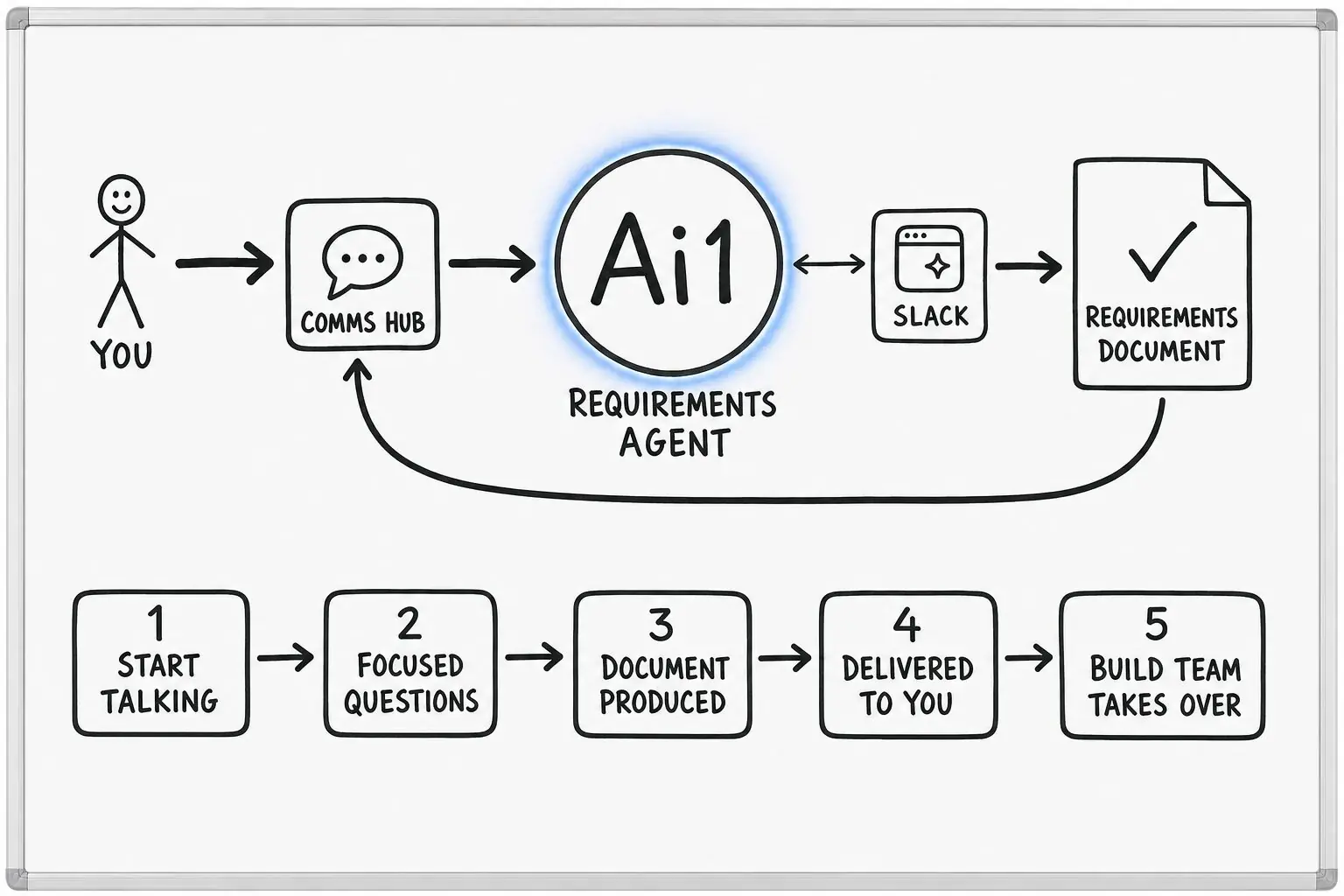
Describe a problem to solve or hand over a brief you already wrote. It asks only about the gaps.
Each answer is acknowledged, and it moves on only when it has what it needs.
Everything goes into a structured document, checked with each team that owns a step.
Once you agree the requirements, they pass to the people and agents who scope, design and build.
Example requirements document
Example with a fictional company. Names and figures are invented to show the kind of output you get.
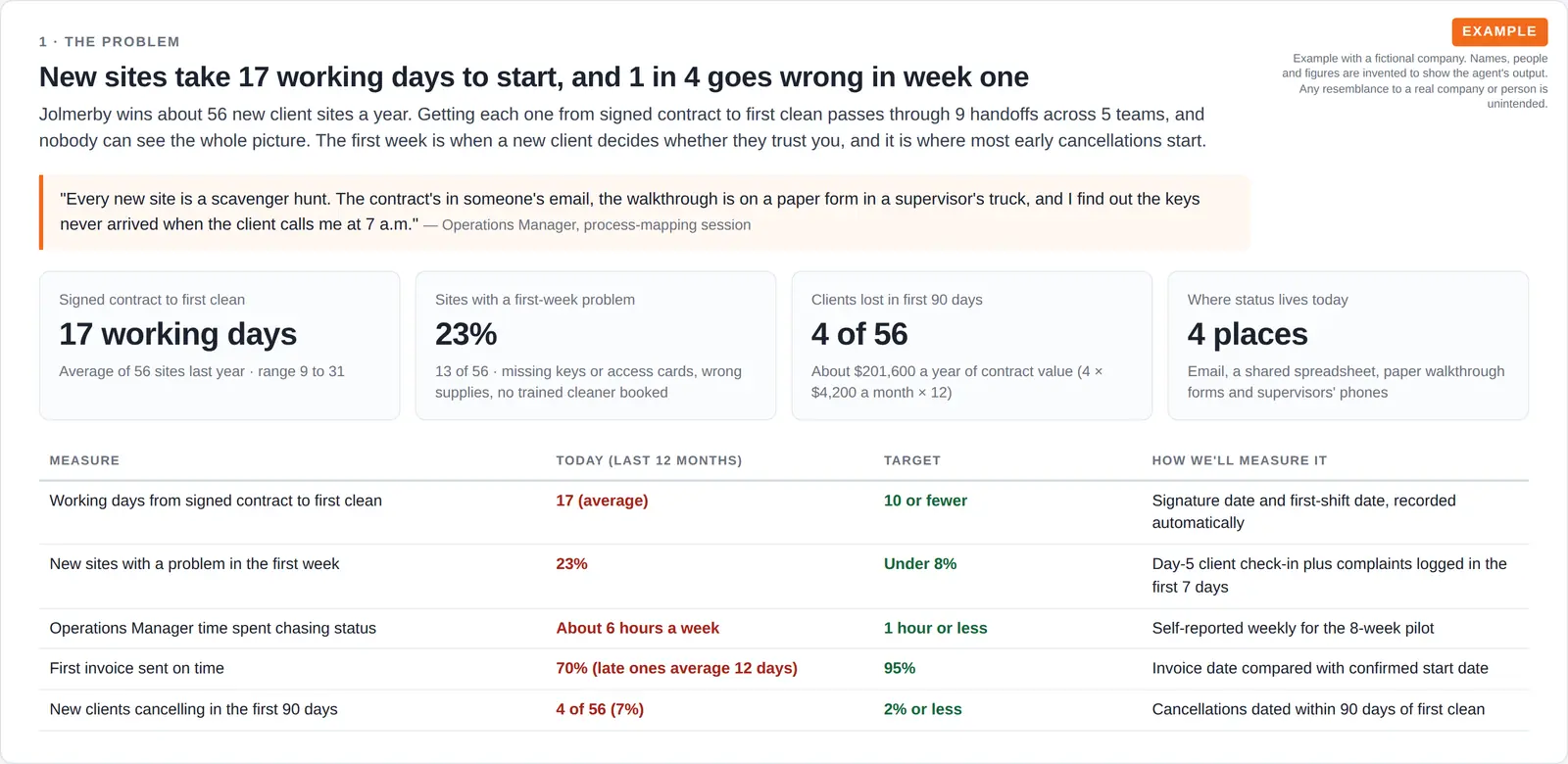
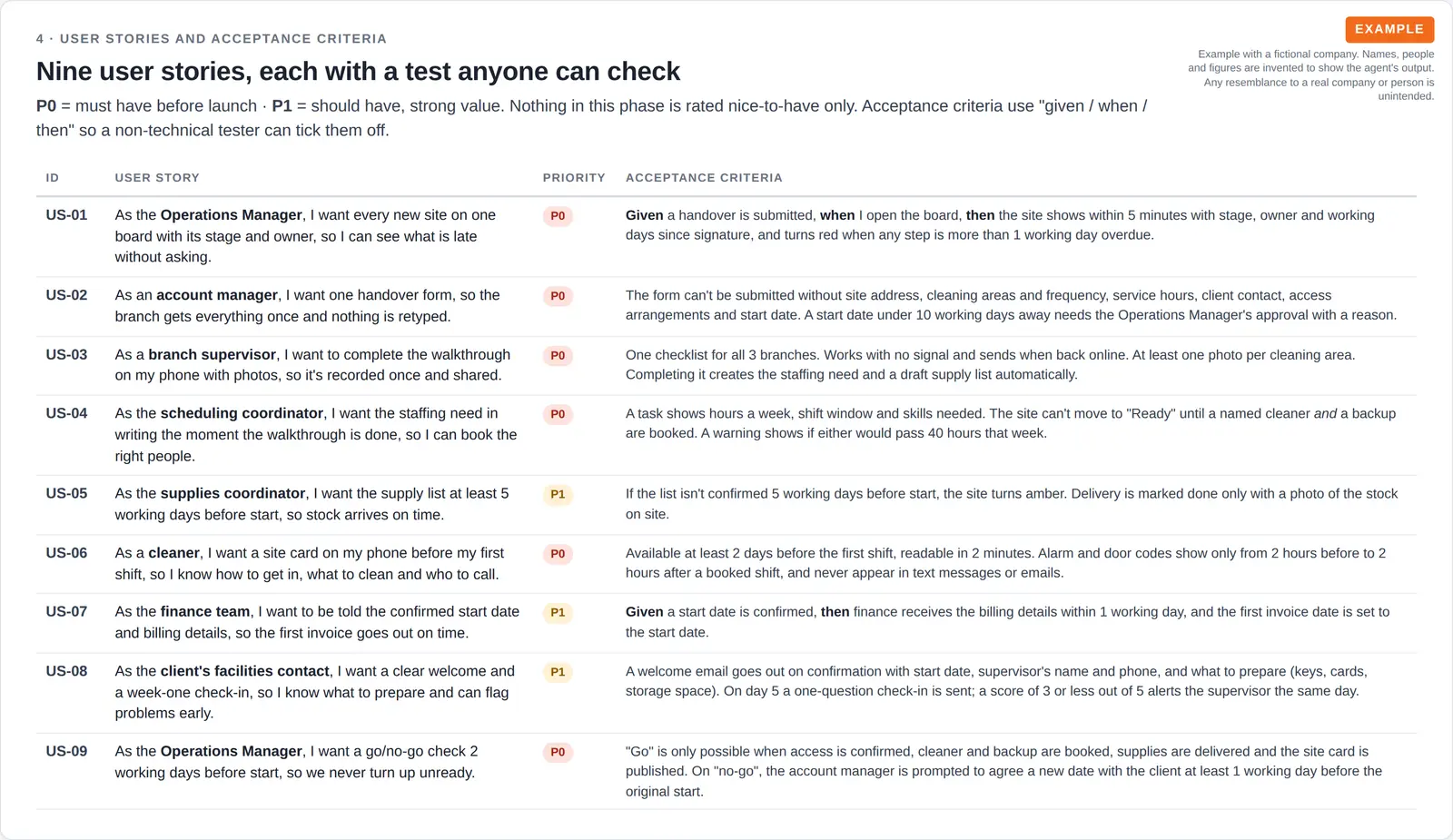
What it was asked: Turn our sticky-note map of how we onboard a new client site into a proper requirements document, so we get from signed contract to first clean faster.
| The problem | 17 working days from signed contract to first clean, through 9 handoffs across 5 teams. The target is 10 or fewer. |
|---|---|
| First-week trouble | 13 of 56 sites had a problem in week one last year, mostly missing keys, wrong supplies or no trained cleaner booked. |
| User stories | Nine, six must-haves each with a given, when, then test, including a go or no-go check two days before the first clean. |
Built-in guardrails
Where the requirements document ends and the build begins.
Better together
The agents that write and use this document.
Agent. Interviews you and writes the document.

Agent. Sizes and orders the build from the approved document.

Agent. Turns the agreed requirements into wireframes and finished design.
Common questions
No. Start with whatever is on your mind. If you already wrote a brief, hand it over and it asks only about the gaps.
The problem and the business case, who it is for, user stories with acceptance criteria, what is in and out of scope, and the open questions with who owns each one.
It is checked with each team that owns a step in the process, and you sign it off. Nothing moves to scoping or building until the requirements are agreed.
The Scoping Agent turns it into a technical scope, with every task sized and ordered. A person on your team approves that scope before any build task is created.
Bring a process that eats your team's time and we will show you the document it becomes.