

CFO
Agent. Runs collections, supplier bills, the close and forecasts.
The payment matching is a skill in Ai1, the AI agent platform by MyZone AI. The CFO agent runs it on the money customers send you: it matches each payment to the right open invoice, keeps your aging report current and drafts reminders for late accounts. Nothing is posted to your books and no reminder goes out until you approve.
An aging report you can trust
Paid invoices drop off and late ones stand out, so you chase the right customers.
Reminders drafted for you
Courteous reminders for late accounts are written and waiting, and go out only when you agree.
Questions raised, not guessed
A payment it cannot place with confidence comes to you instead of landing on the wrong invoice.
At a glance
| Reads | Incoming customer payments and your open invoices |
|---|---|
| Matches | Each payment to the right open invoice, with a confidence level |
| Keeps current | Your aging report of who owes what and for how long |
| Drafts | Courteous reminders for late accounts, sent only when you agree |
| Run by | The CFO agent |
| Never | Posts to your books or contacts a customer without your approval |
When a customer payment arrives without a clear link to an invoice, it often ends up against the wrong line or none at all. The aging report then shows a customer as late when they have paid, or as up to date when they have not. Matching every payment to the invoice it settles keeps your chasing polite and accurate.
How this differs from the CFO as a whole: the agent also checks the bills you owe suppliers and forecasts cash; this skill is the matching it does on money coming in.
How it works
Four steps. Each posting and each reminder waits for you.
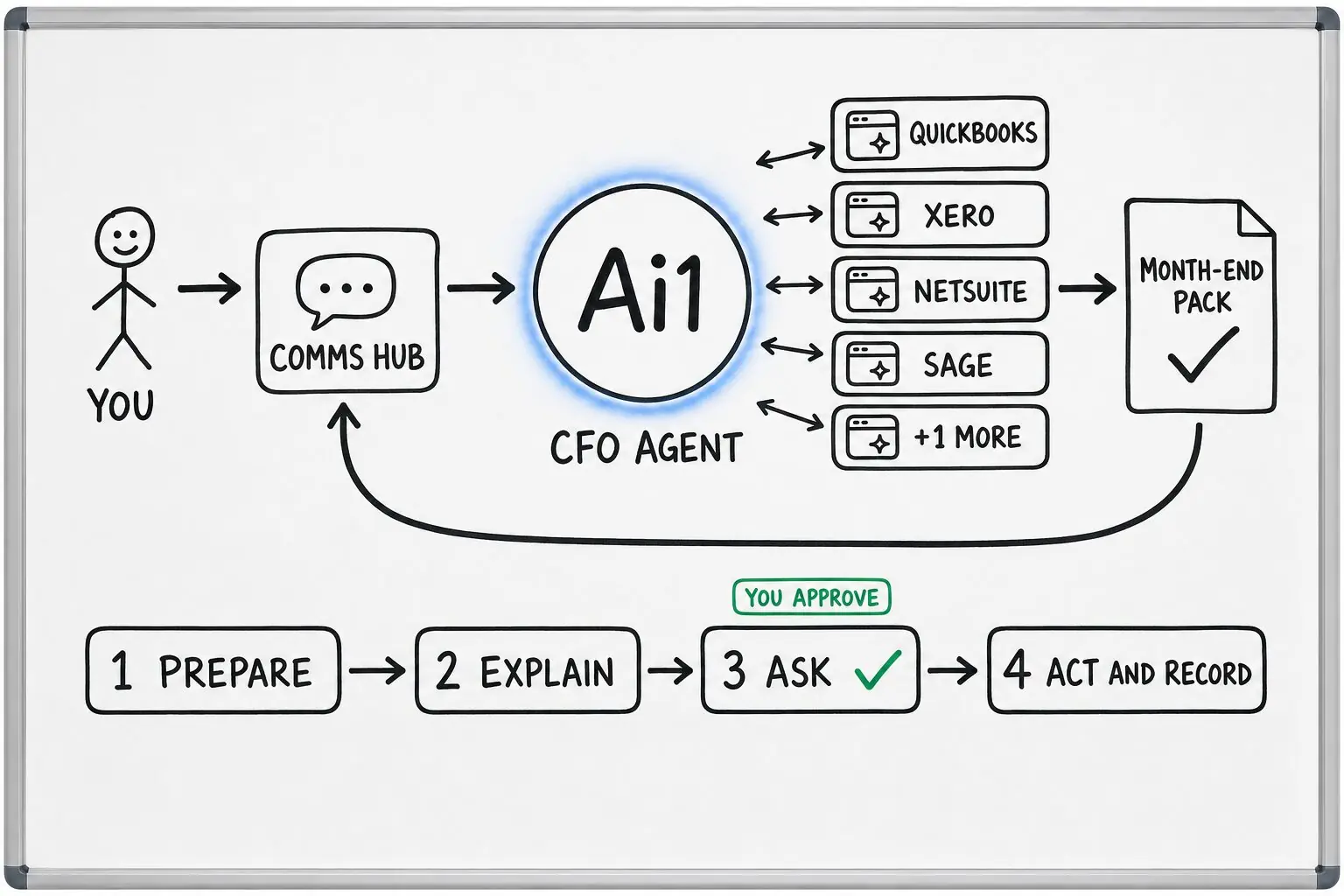
Customer payments are read from your bank, connected read-only to begin with, alongside your open invoices.
Each payment is paired with the open invoice it settles, with the source and its reasoning shown.
The proposed aging report shows who is late, and reminders for late accounts are drafted.
Nothing is posted to your books or sent to a customer until you approve it.
Example payment match
Example with a fictional company. Names and figures are invented to show the kind of output you get.
What it was asked: Match this week's customer payments to our invoices and tell me who we still need to chase.
| Matched | 26 of 29 payments paired with the invoices they settle, totalling $48,915. Proposed for posting, waiting for approval. |
|---|---|
| Needs a decision | One payment of $1,140 could settle either of two invoices from the same café. Held for you to choose. |
| Late accounts | Three customers are more than 30 days past due. A reminder to each is drafted and waiting for you to agree. |
Built-in guardrails
How the payment matching keeps your books and your customers in your hands.
Better together
The agent that runs this matching, and the skills it works with.
Agent. Runs collections, supplier bills, the close and forecasts.
Skill. Checks the bills you owe against their purchase orders.
Skill. Shows when customers paying late will make cash tight.
Common questions
No. It proposes how each payment matches your invoices and stops for your approval before anything is posted to the books.
It drafts courteous reminders for late accounts. They go out only when you agree.
It asks you rather than guessing, and the payment waits until you choose where it goes.
Bring your open invoices and a week of customer payments and we will show you the matches, waiting for your approval.