

CFO
Agent. Runs your bills, collections, the close and forecasts.
The invoice matching is a skill in Ai1, the AI agent platform by MyZone AI. The CFO agent runs it on your supplier bills: it reads each invoice, compares it with the matching purchase order, flags anything that does not line up and queues the payment for your approval. A named person on your team approves every payment.
Overcharges caught before payment
A bill that does not line up with its order is flagged while the money is still in your account.
A payment run ready to approve
Matched bills are queued with the supporting detail, so approving is a check, not a hunt through paperwork.
Odd payments spotted
Duplicate payments, odd amounts and changed bank details are flagged as soon as they appear.
At a glance
| Reads | Each incoming supplier invoice |
|---|---|
| Compares with | The matching purchase order |
| Flags | Anything that does not line up, plus duplicates, odd amounts and changed bank details |
| You get | A payment run queued for your approval, with the source behind each figure |
| Needs to start | Read access to your accounting system, plus who approves payments and any limits |
| Never | Pays a bill or moves money before a named person approves |
Supplier invoices drift from what was ordered: a unit price creeps up, a delivery is billed twice, or bank details change on an email nobody questioned. Each one is small and easy to miss in a pile of bills. Checking every invoice against its purchase order before the payment run means you only pay for what you agreed to buy.
How this differs from the CFO as a whole: the agent also chases what customers owe and runs the month-end close; this skill is the check it runs on the bills you owe.
How it works
Four steps. Money moves only after a named person approves.
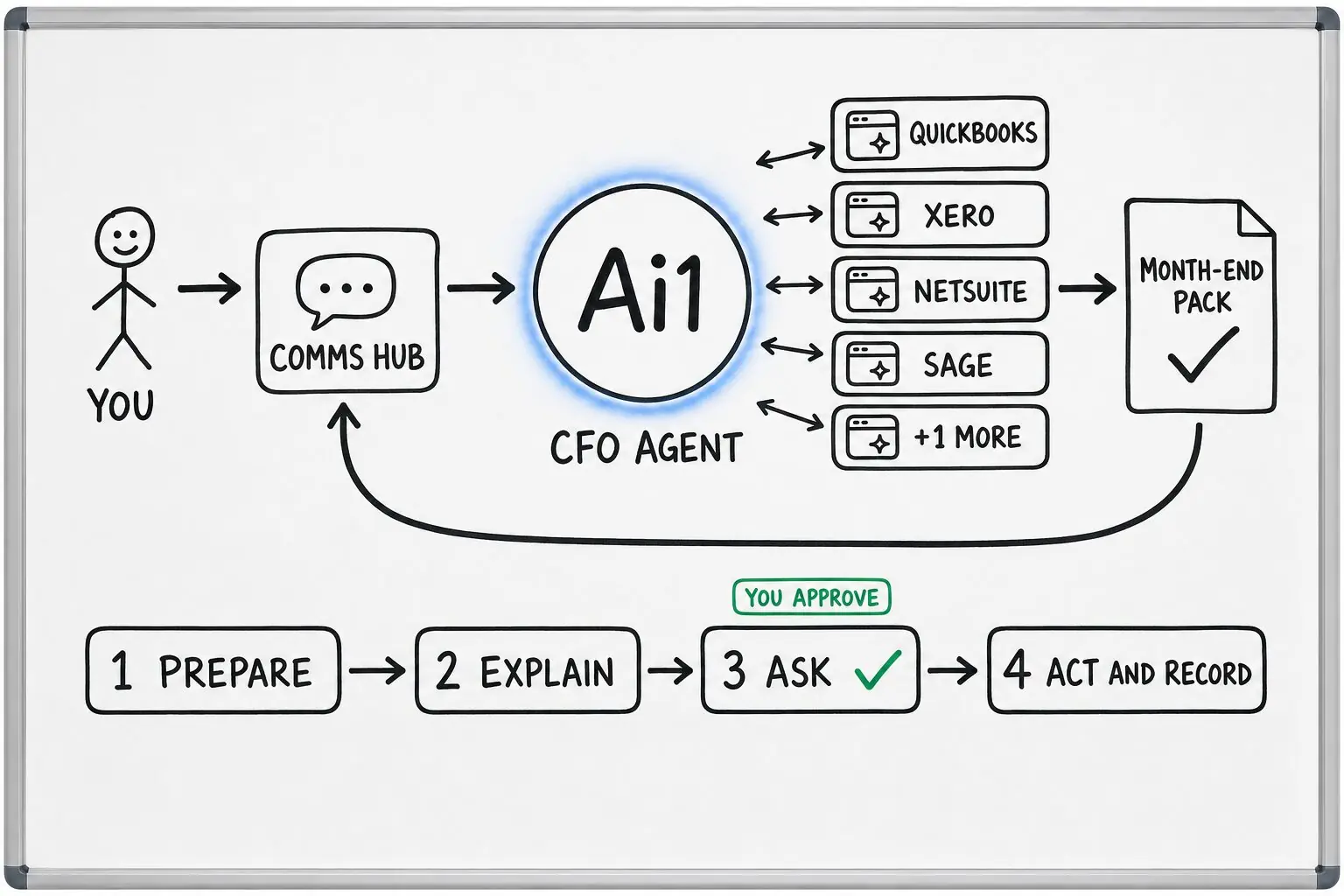
Each incoming invoice is read from your finance data, with read-only access wherever possible.
The invoice is compared with its purchase order, and any line that does not agree is flagged.
Bills are queued for payment, each with the supporting detail and the source document behind its figures.
Nothing is paid until a named person on your team approves. That rule cannot be turned off.
Example payment run
Example with a fictional company. Names and figures are invented to show the kind of output you get.
What it was asked: Can you handle this week's supplier invoices before Friday's payment run?
| Matched | 11 of 14 invoices agreed with their purchase orders and were queued for approval, totalling $23,480. |
|---|---|
| Price differs | Flagged. A timber merchant billed oak boards at $9.40 a metre against $8.60 on the order, $312 more in total. Held for a decision. |
| Bank details changed | Flagged. A fixings supplier's invoice gave a new account number. Held until someone confirms it with the supplier. |
Built-in guardrails
How the invoice matching keeps every payment in your hands.
Better together
The agent that runs this check, and the skills and recipes it works with.
Agent. Runs your bills, collections, the close and forecasts.
Skill. Ties each account to your ledger at month end.
Recipe. Takes the month's accounts on to a close pack.
Common questions
No. It prepares each payment with the supporting detail, and a named person on your team must approve it before anything moves. That rule cannot be switched off.
It flags anything that does not line up and the bill waits for your decision. A flagged bill is only paid if a named person on your team approves it.
Read access to your accounting system, such as QuickBooks, Xero, NetSuite or Sage, and the names of the people who approve payments, plus any approval limits.
Bring a batch of supplier invoices and their orders and we will show you the payment run, waiting for your approval.