

Media Buyer
Agent. Builds the branded presentation.
The monthly ads report is a recipe in Ai1, the AI agent platform by MyZone AI, where several agents work together to deliver one outcome. The Google Ads Manager, the Meta Ads Manager and the Media Buyer each read your accounts view-only and report what your ads delivered, with what to change next. Your team decides.
How the recipe works
Each agent reports on the platforms it knows best. Every claim in the report is checked first.
 Google Ads ManagerGoogle Ads results
 Meta Ads ManagerMeta ads resultsMedia BuyerMonthly spend report
Results, not clicks
Spend matched to calls, forms and sales from your own Google Analytics.
Every platform in one view
Google, Meta, Microsoft and Amazon, each read by the agent that knows it.
Ready to share
A branded presentation you can take into a meeting as it is.
Ad platforms each report their own numbers in their own way, and most of them count more results than really happened. Once a month you need one honest picture: what you spent, what came back and what to change. This recipe builds it from your own accounts.
How this differs from the Media Buyer on its own: the recipe adds the Meta Ads Manager's report for Facebook and Instagram, and the Google Ads Manager's detail for Google.
How it works
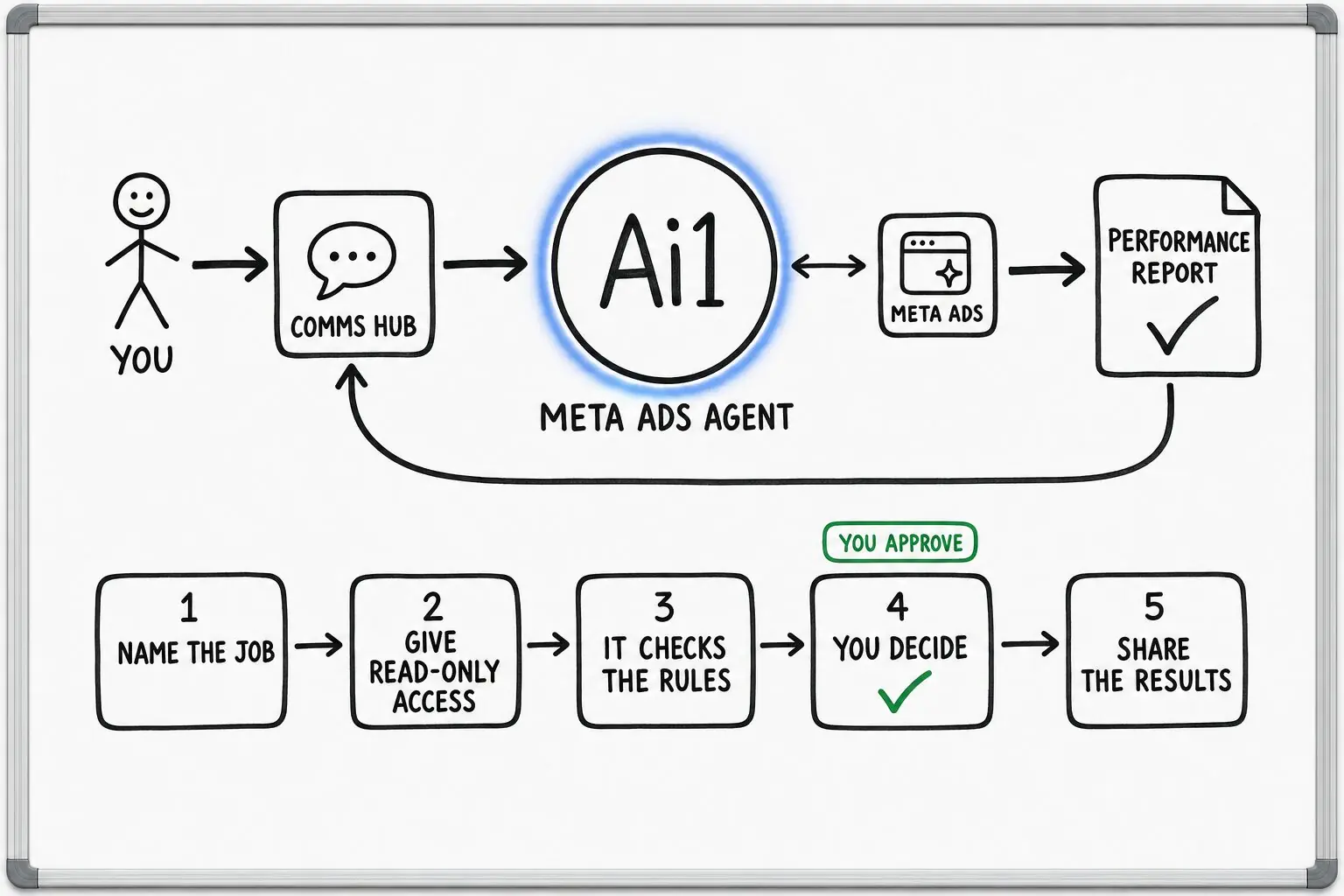
A simplified view of what the agents do. You read the report and decide what changes.
Spend, leads and cost per lead, matched to Google Analytics.
Facebook and Instagram results, worn-out ads and cost trends, in its own monthly report.
A branded presentation across Google, Microsoft and Amazon, with a compliance check on every claim.
You read the report and decide what changes. Your team makes each change.
Example monthly report
Example with a fictional business. Names and figures are invented to show the kind of output you get.
What it was asked: What did our ads deliver in September, and what should we change in October?
| Google Ads | $4,200 spent, 96 leads. Cost per lead down from $51 to $44 after the search term clean-up. |
|---|---|
| Facebook and Instagram | $2,600 spent, 41 sales. Two ads are worn out and due for a refresh. |
| Microsoft Advertising | $480 spent, 11 leads. Small, but the cheapest leads of the month. |
| Claims check | Clear. No banned or unproven claims in any live ad. |
Run it on a schedule
Set it up as a job and the report arrives each month without anyone asking for it. You still decide what changes next month.
| Starts | A set date each month |
|---|---|
| Schedule | Once a month, on a day you choose, such as the first Monday |
| Needs from you | View-only access to your ad accounts and Google Analytics |
| You get | One branded report on what your ad spend delivered, and what to change next |
| If it can't finish | A passing problem, such as a brief outage, gets a limited number of retries. If the run still cannot finish, it goes to the job's owner instead of looping. |
Built-in guardrails
Every Ai1 agent works under human approval. Here is how this recipe keeps you in control.
Better together
The agents and skills in this recipe, and where its results go next.
Agent. Builds the branded presentation.
Agent. Writes the monthly Meta report.
Recipe. The weekly fixes roll into this report.
Skill. Every claim is checked first.
Common questions
Yes. The Meta Ads Manager writes its own monthly report for Facebook and Instagram, and the Media Buyer covers Google, Microsoft and Amazon.
Together they give you one view of what each channel delivered this month.
No. Every agent reads your accounts view-only.
The report ends with recommendations. A person on your team decides on each one and makes any change.
The Media Buyer builds a branded presentation you can share as it is, for example with your leadership team or your board. The Meta Ads Manager's report is branded too.
The numbers come from your own Google Ads, Meta and Google Analytics data, not from industry averages.
Yes. Each business gets its own report.
Each client's data is kept separate, so reports for different businesses never mix.
We will build your first monthly report from your own accounts and walk you through it.