

Ad Creative Specialist
Agent. Checks every ad it makes.
The ad claims check is a skill in Ai1, the AI agent platform by MyZone AI. The Google Ads Manager, the Ad Creative Specialist, the Meta Ads Manager and the Media Buyer each run it before ad wording goes anywhere: it flags claims that break ad platform rules or that the business cannot prove, and suggests safer wording. People decide what runs.
Fewer rejected ads
Wording that breaks ad platform rules is caught before it is submitted.
Promises you can keep
Claims the business cannot prove are flagged, like a guarantee or a same-day promise.
A safer version ready
Each flag comes with a rewrite, so the ad does not stall.
At a glance
| Checks | Headlines, ad text and on-image wording |
|---|---|
| Looks for | Banned claims, unproven promises, guarantees and special ad category rules |
| You get | Each risky phrase, why it is risky and a safer version |
| Run by | Google Ads Manager, Ad Creative Specialist, Meta Ads Manager and Media Buyer |
| When | Before any ad wording goes anywhere |
| Decides | Your team |
An ad that promises too much can be rejected, can get an account flagged, or can promise customers something the business cannot deliver. Writers under time pressure miss these, and ad platforms change their rules. The check runs every time, so risky wording is caught before it costs you.
How this differs from the Ad Creative Specialist on its own: the agent makes whole campaigns; this skill is the check it, and three other agents, run on the wording before anything goes out.
How it works
The check flags and suggests. You decide what runs.
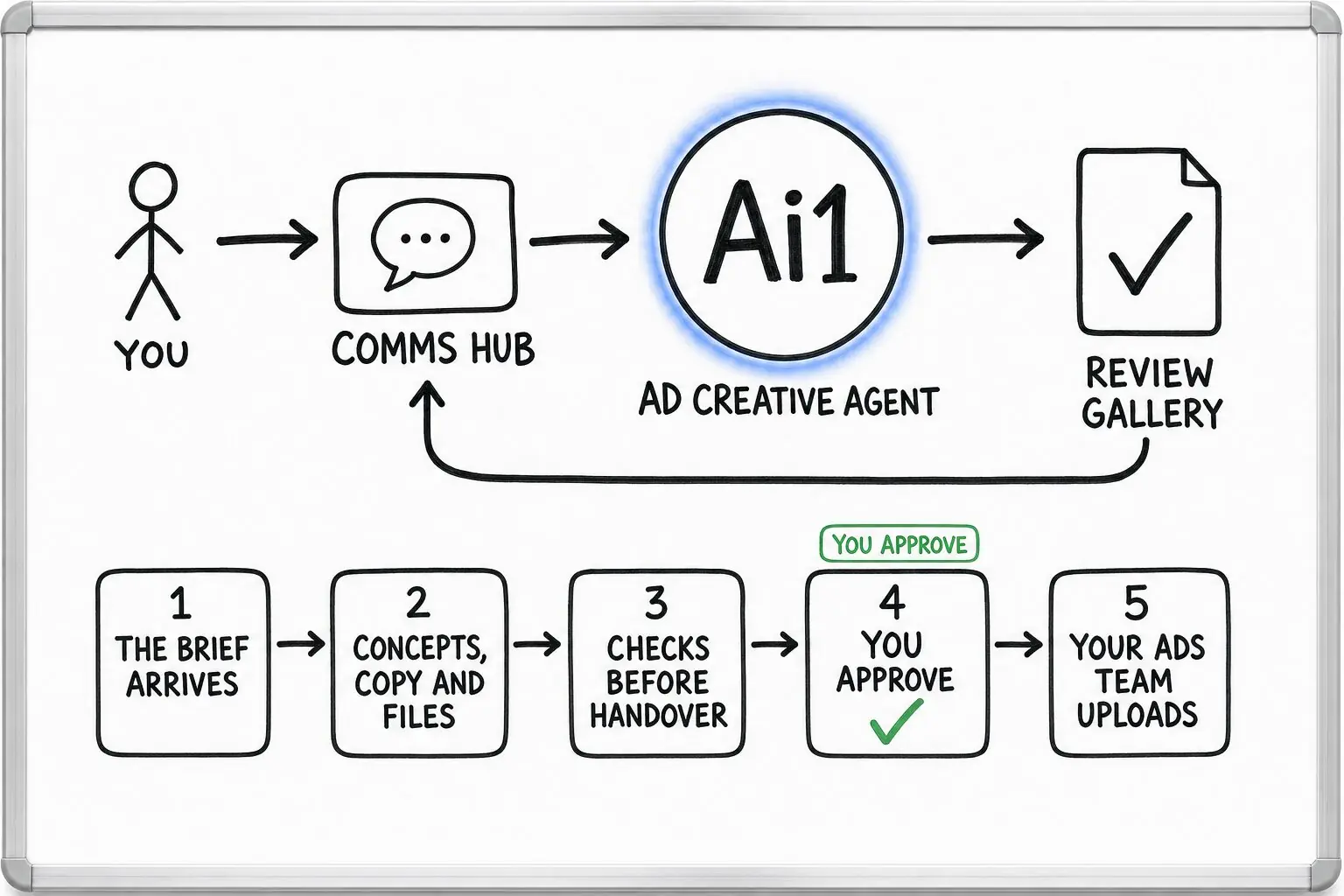
Headlines, ad text and any words on the image.
Banned claims and special ad category rules for each platform.
Anything the brief does not support, like a guarantee, is flagged.
You see each flag with a safer version and choose what runs.
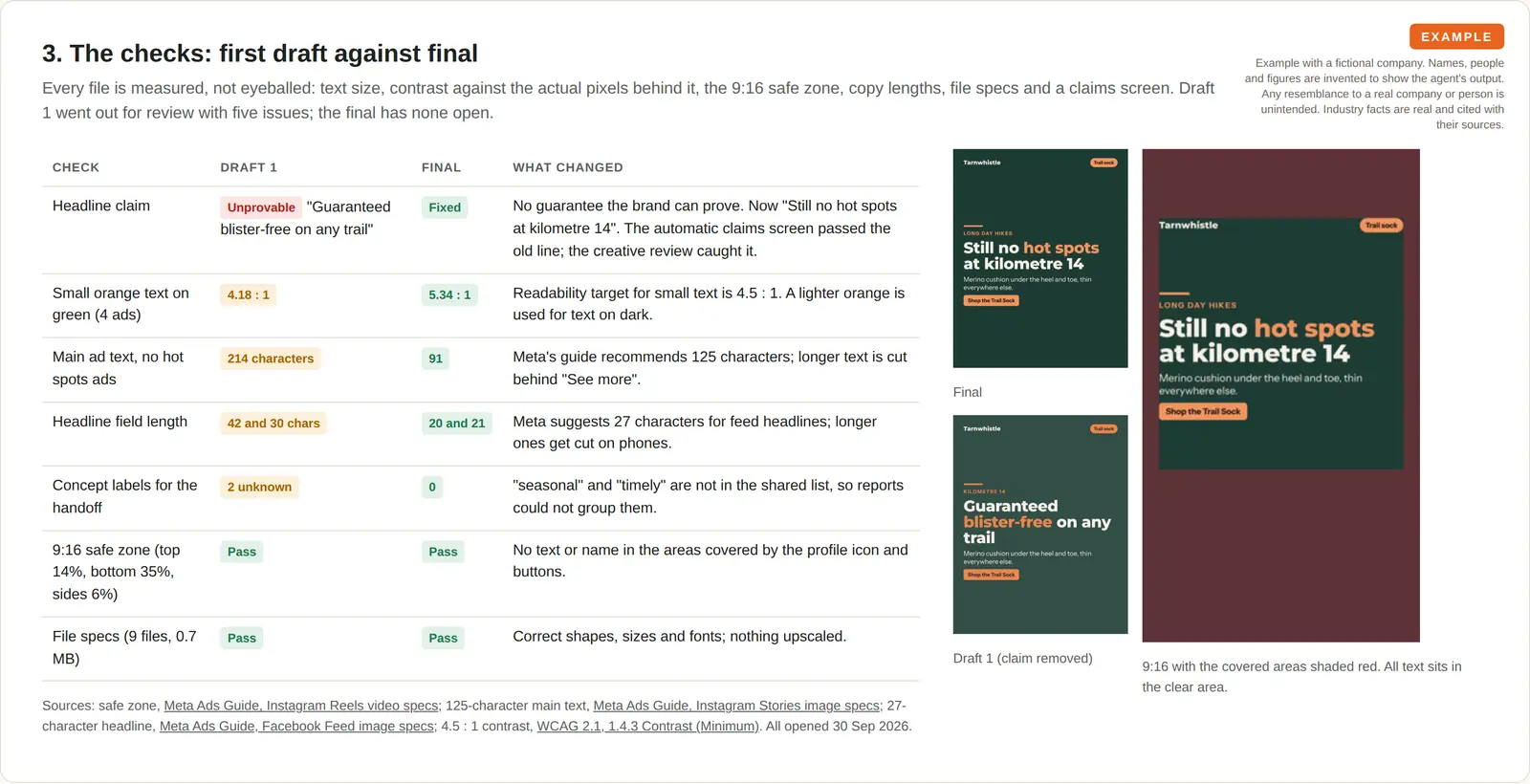
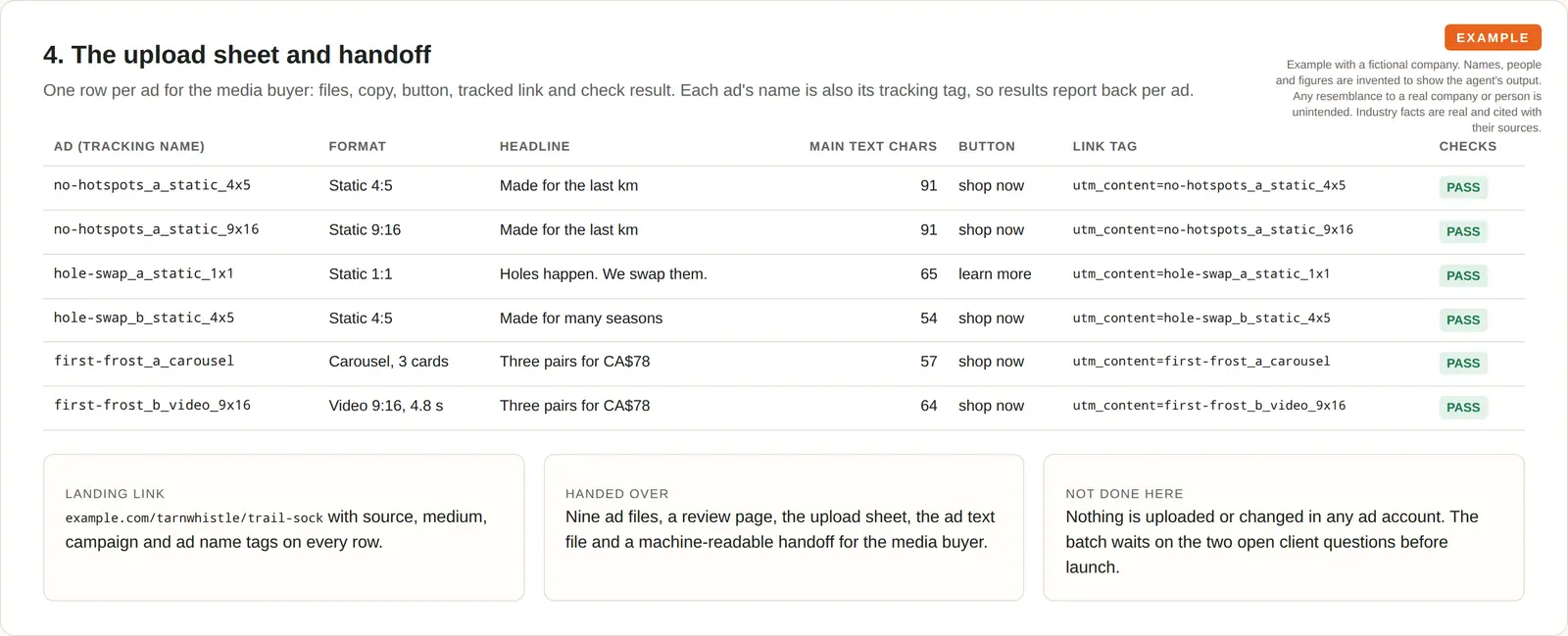
Example claims check
Example with a fictional business. Names and figures are invented to show the kind of output you get.
What it was asked: Check our new hiking sock ads before they go to the ads team.
| “Guaranteed blister-free” | Flagged. A guarantee the brief does not support. Rewritten without the promise. |
|---|---|
| Text contrast | Fixed. Text on the image was hard to read (contrast 4.18). Raised to 5.34. |
| Ad text length | Fixed. 214 characters, over the space shown in the feed. Cut to 91. |
Built-in guardrails
Here is how the claims check keeps you in control.
Better together
The agents and recipes that run this check.
Agent. Checks every ad it makes.

Agent. Screens new Google ad wording.
Recipe. The check runs before you approve the ads.
Recipe. New ad wording is screened every week.
Common questions
No. The check flags wording that breaks ad platform rules, or claims that your brief does not support, such as a guarantee you cannot stand behind.
For regulated claims, for example in health or finance, your own advisers have the final word. The check helps you catch problems early; it does not replace them.
Google Ads and Meta, which covers Facebook and Instagram. The check runs through the agents that work on those platforms: the Google Ads Manager, the Ad Creative Specialist, the Meta Ads Manager and the Media Buyer.
It looks at headlines, ad text and wording on the image itself.
No. It flags each risky phrase, explains why it is risky and suggests a safer version.
Your team decides what runs. Nothing is published or edited in your ad accounts by the check.
Before any ad wording goes anywhere. It runs in the weekly ads review, when new ads are made from a brief, and in the monthly ads report for ads that are already live.
That way a risky claim is caught before it costs you a rejected ad or a complaint.
Send us a few of your current ads and we will show you what the check flags.