

SOP Agent
Agent. Answers questions from your procedures with the source, finds gaps and turns SOPs into training guides.
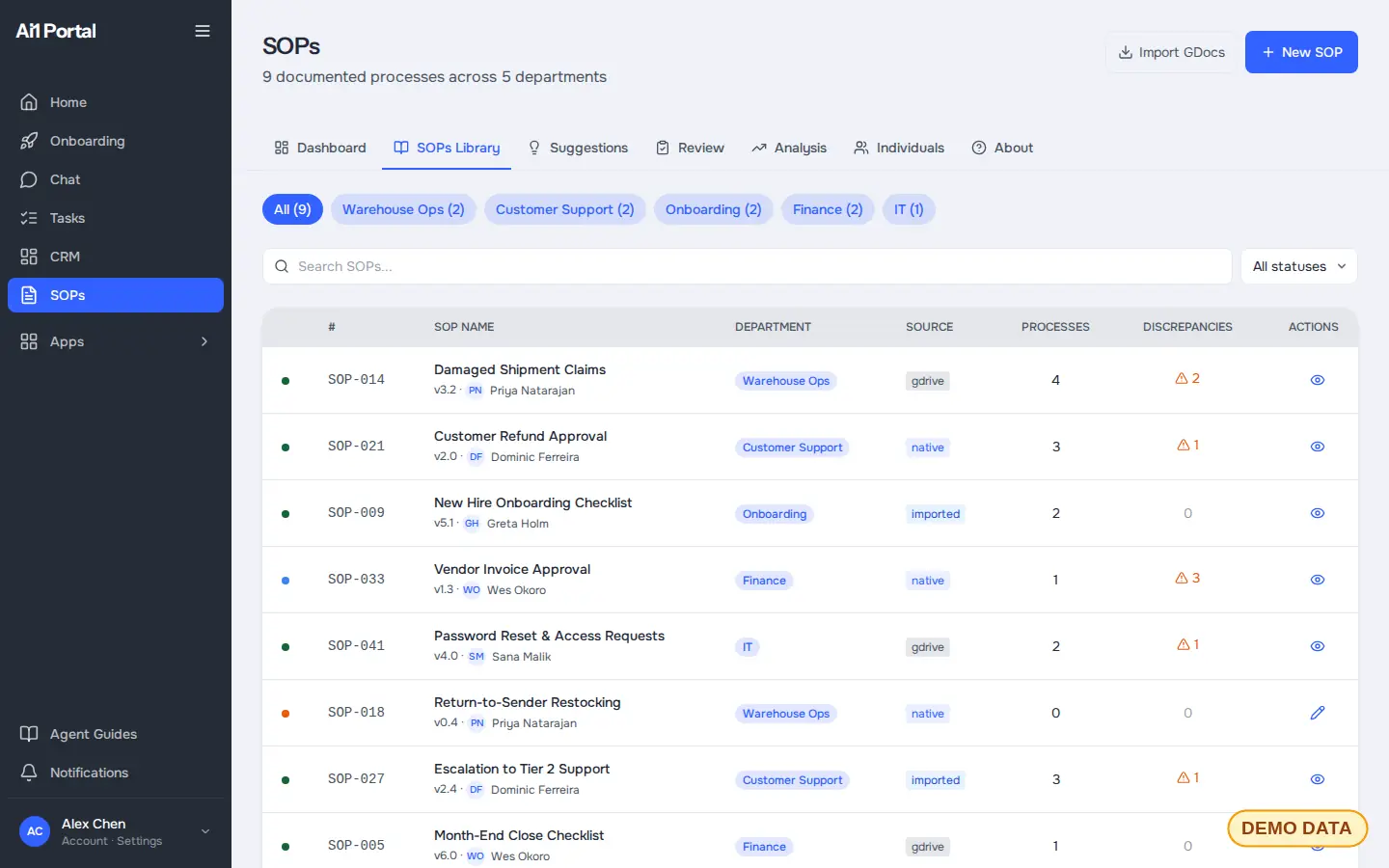
SOP Intelligence is an app inside Ai1, the AI agent platform by MyZone AI. It collects your procedures, drafts new ones from how work really happens, and flags where the written process and the real one have drifted apart.
Answers with the source
Ask how something is done and get the answer with the procedure it came from.
Spot the drift
See where the written process and the real one no longer match, before it costs you.
Training that keeps up
Turn any procedure into a visual, step-by-step guide your team can follow.
Talk to the agent
Many clients never open SOP Intelligence. They talk to the agent in chat or Slack, and the agent reads and updates the app for them. The app is there so your agents keep one tidy set of records and spend less on AI usage looking things up.
Agent. Answers questions from your procedures with the source, finds gaps and turns SOPs into training guides.
Ask in plain words: "How do we handle returns at the dock?" The agent reads the app and answers.
At a glance
| Collects | Your procedures, in one searchable library |
|---|---|
| Drafts | New procedures from how the work really happens |
| Flags | Gaps, and places where the written process and the real one differ |
| Keeps | Every version, with who changed what |
| Turns out | Visual step-by-step training guides |
| Replaces | Tools such as Process Street and Trainual, and static documents |
Inside the app
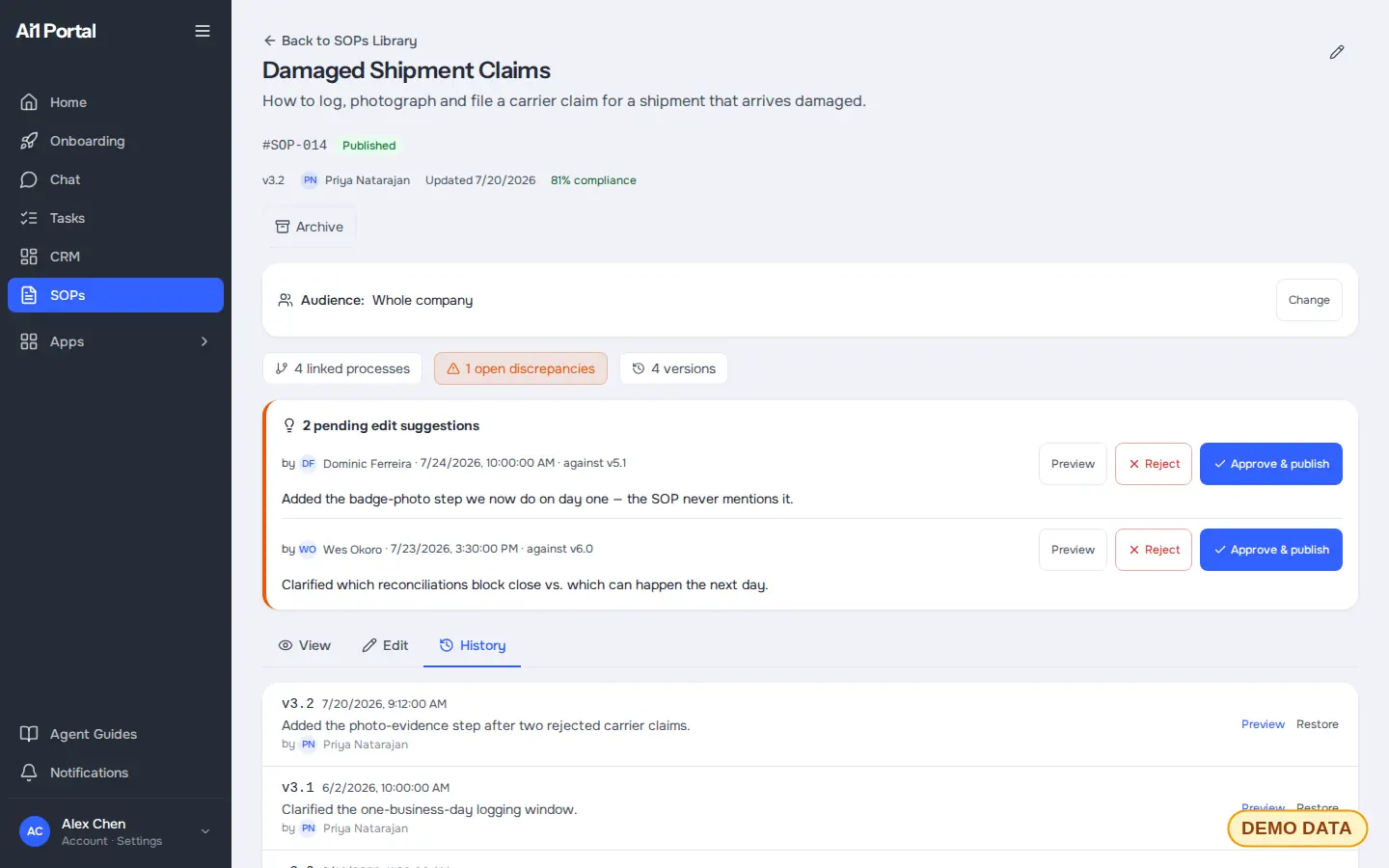
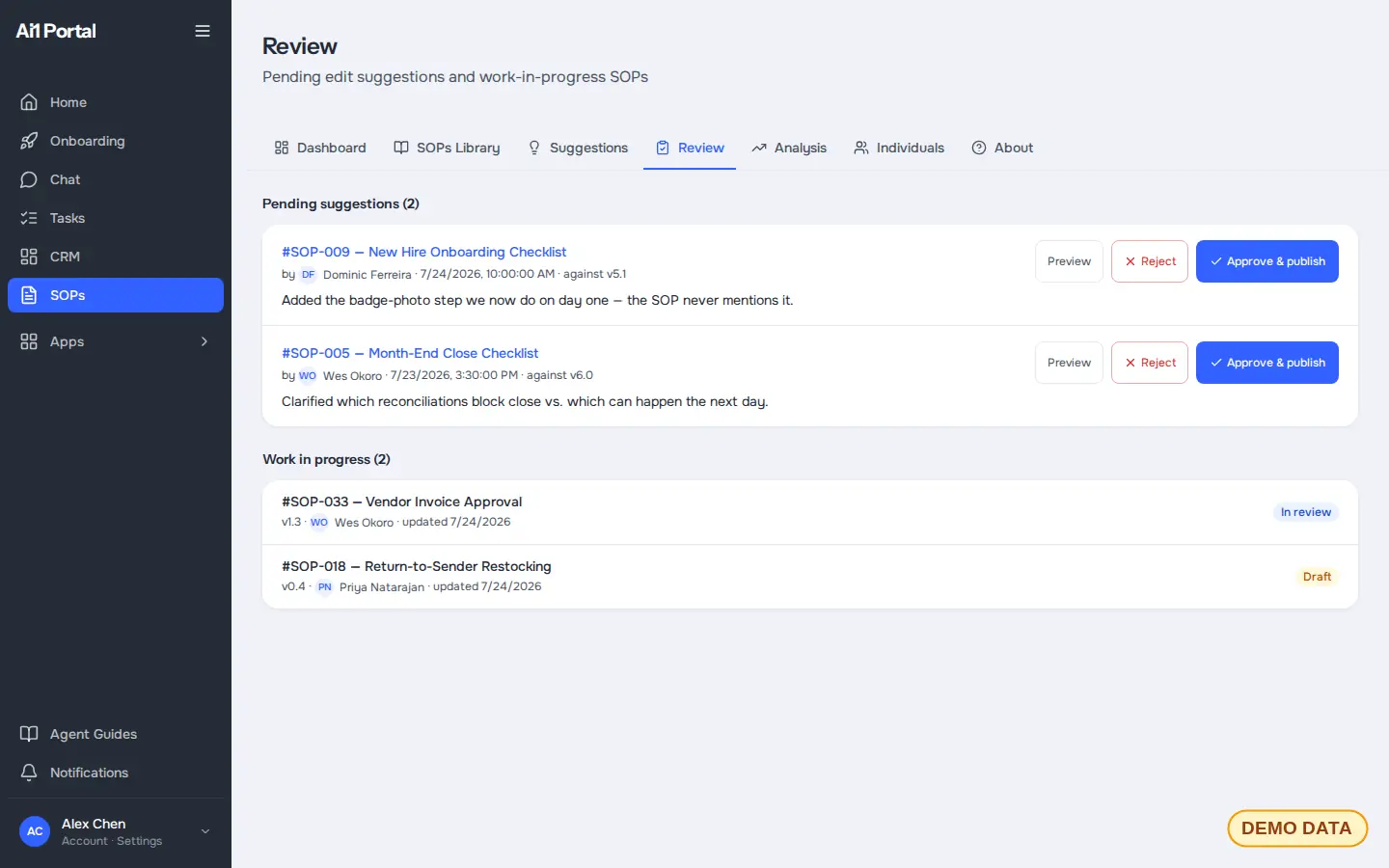
Screens from the app with demo data. Tap any screen to see it full size.
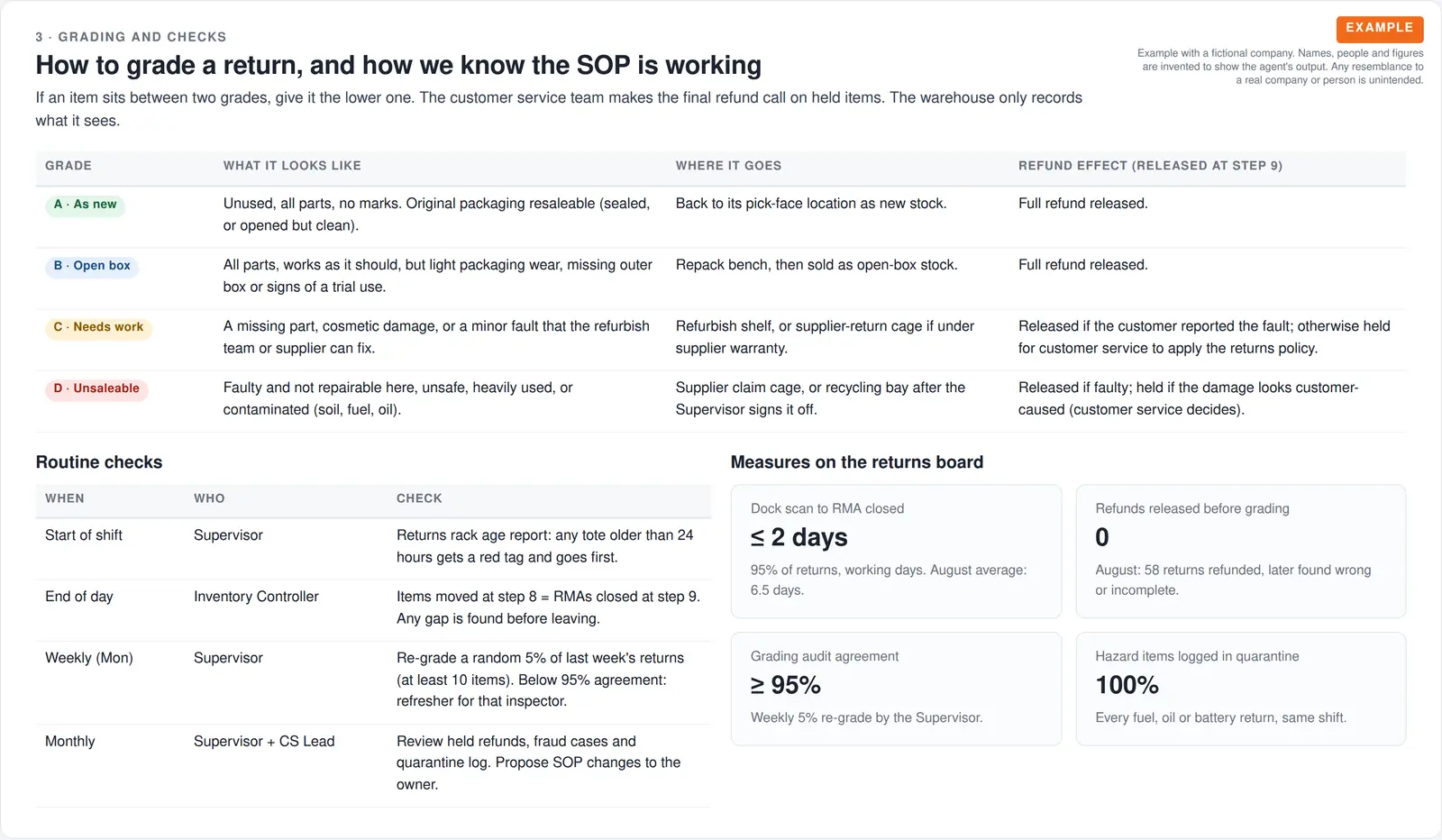
Example procedure
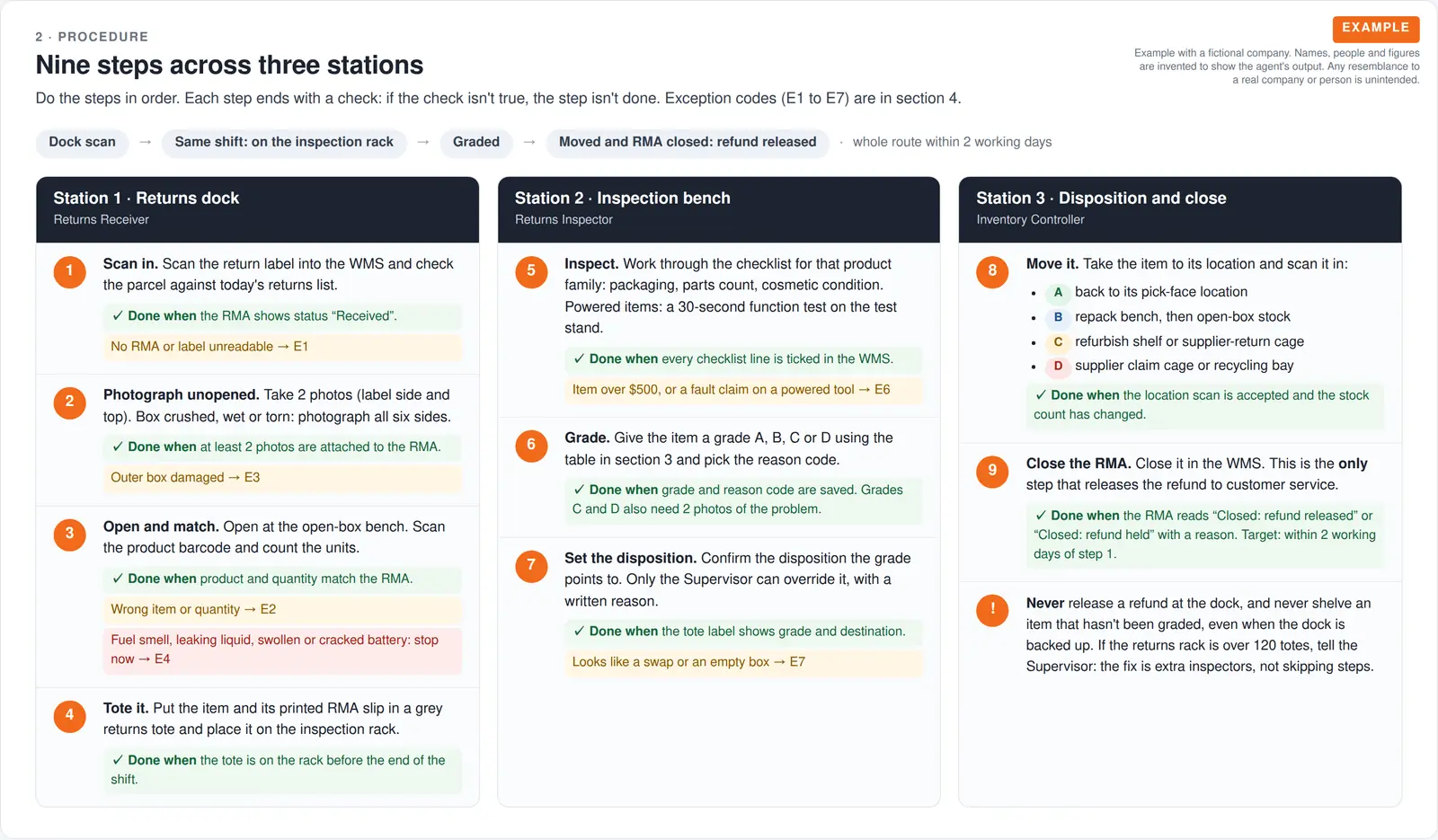
Example with a fictional business. Names and figures are invented to show the kind of output you get.
What it was asked: Write up how returns are handled at the dock, and flag anything risky in how we do it today.
| Refunds | Gap found. Refunds were released before inspection on 58 returns. The new step holds the refund until the item is graded. |
|---|---|
| Grading | Written down. Four condition grades, A to D, each with where the item goes and the refund effect. |
| Safety | Added. Returned lithium batteries go to quarantine before anyone opens them. |
How it works
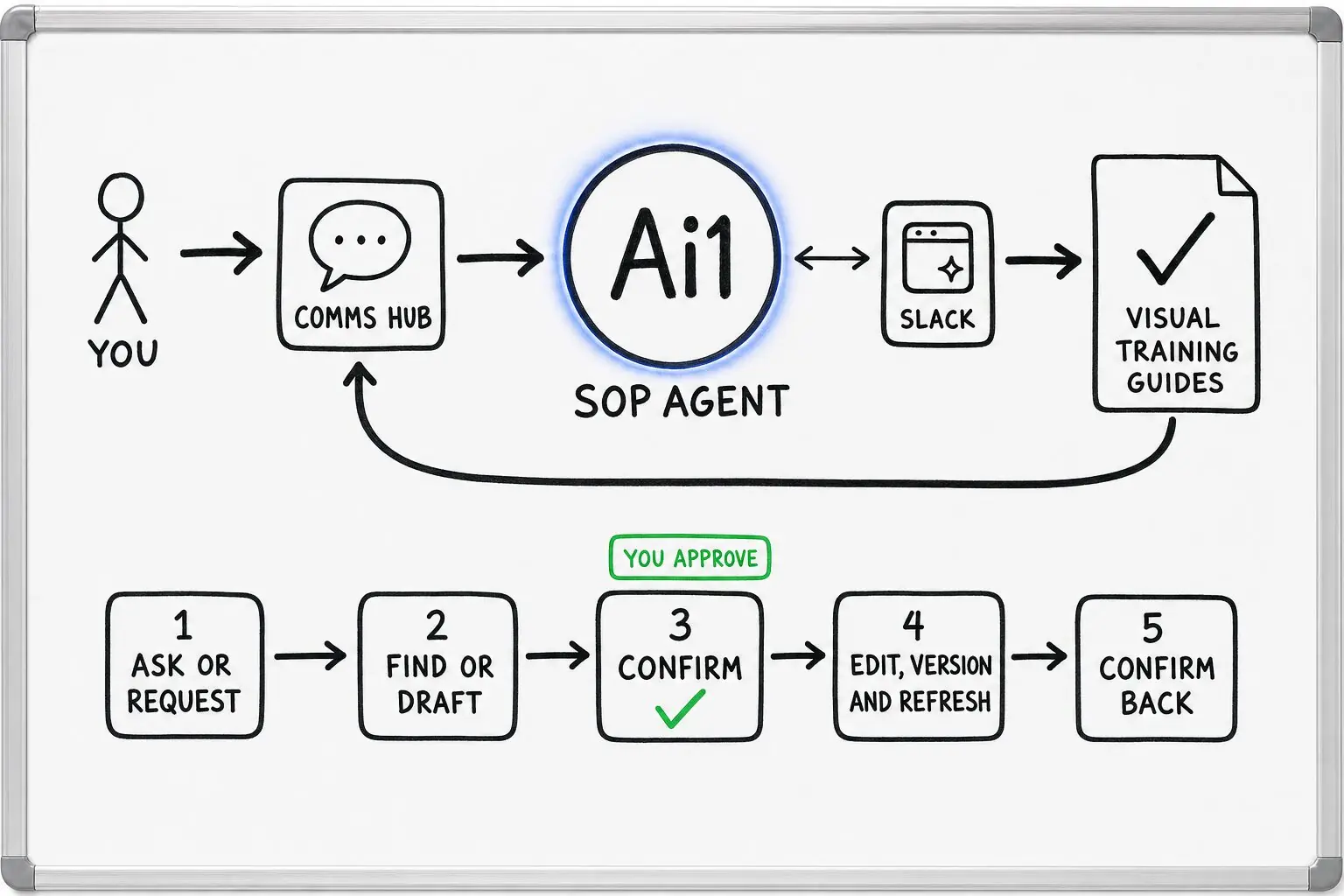
The SOP Agent works inside the app. It edits only when you ask, and you confirm before anything changes.
In Slack or in Ai1, ask how something is done, or ask for a new or updated procedure.
The SOP Agent answers from your procedures with the source, or drafts the change.
You read the change and confirm it. Nothing changes before that.
The edit is saved as a new version with who made it, and the training guide is updated to match.
Built-in guardrails
Your procedures are the rules your business runs on. Here is how SOP Intelligence keeps you in charge of them.
Better together
The agents and apps around your procedures.
Agent. Answers, reviews, versions and training guides.

Agent. Turns decisions into follow-ups with owners.
App. Fixes to a procedure land on your task list.
App. Your customers and deals, on your own server.
Common questions
No. SOP Intelligence collects the procedures you already have into one searchable library, with an owner and a version for each. You keep what works.
From there the SOP Agent helps you fill the gaps: it can draft a missing procedure from how the work really happens, and flag where a written procedure and the real process no longer match.
No. The SOP Agent edits a procedure only when you ask, and you confirm each change before it is saved. Suggested edits wait in a review queue with approve and reject buttons.
Every edit is saved as a new version with who made it, so you can see the history and restore an older version at any time.
Yes. Your team can ask in Slack, for example how returns are handled at the dock, and get the answer with the procedure it came from, so they can check it.
You do not have to open the app to use it this way. The library is there when you want to see every procedure, its owner and its open issues in one place.
Yes. It turns any procedure into a visual, step-by-step training guide your team can follow.
When the procedure changes, the guide is refreshed to match, so training does not drift away from how the work is actually done.
On your own private server, as part of Ai1. They are not shared with other clients and are not used to train AI models.
You can export them at any time.
We will load a few of your procedures and show you the answers, the gaps and a training guide.