

Memory Manager
Agent. Connects your website, tools and documents, checks they stay fresh and finds gaps.
Ai1 Memory is an app inside Ai1, the AI agent platform by MyZone AI. It keeps every agent working from the same facts about your business.
Consistent answers
Every agent works from the same knowledge about your business.
Healthy memory
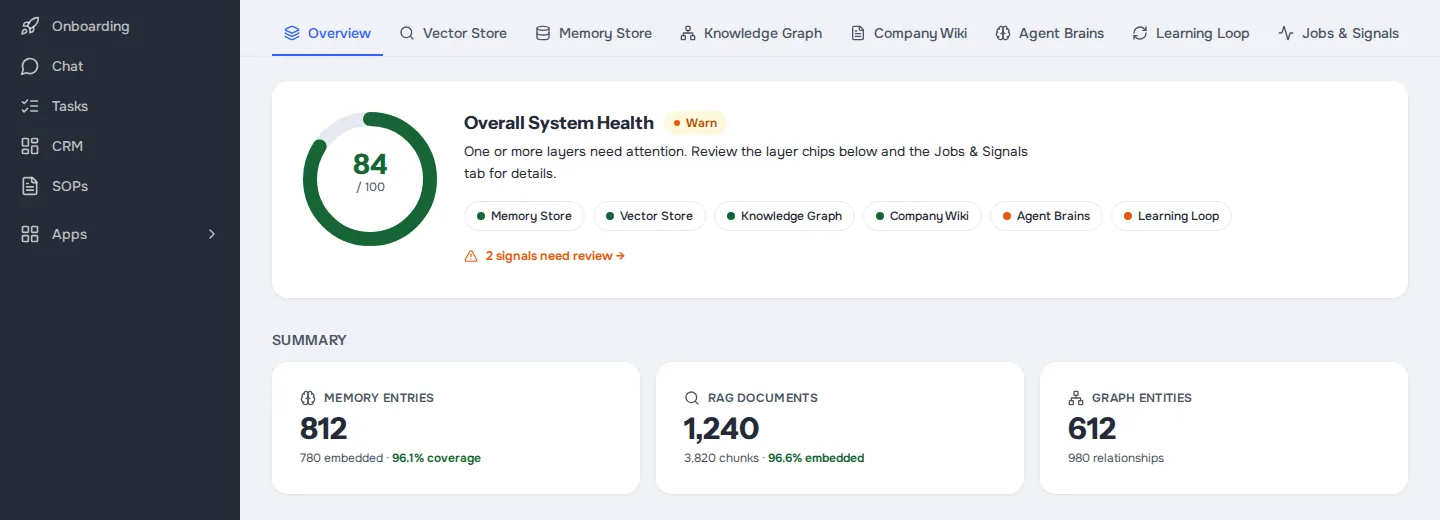
One health view shows where memory is strong and where it needs attention.
Lessons you approve
New lessons wait for you to approve, decline or defer.
Talk to the agent
Ask the Memory Manager what the agents know about a topic. Ai1 Memory is where admins see the bigger picture and approve new lessons.
Agent. Connects your website, tools and documents, checks they stay fresh and finds gaps.

Agent. Builds the searchable memory from your documents, email and other sources.
Ask in plain words: "What do the agents know about our refund policy, and when was it last updated?" The agent reads the app and answers.
At a glance
| What it shows | What the agents remember about your business |
|---|---|
| Health | One overall score, with details |
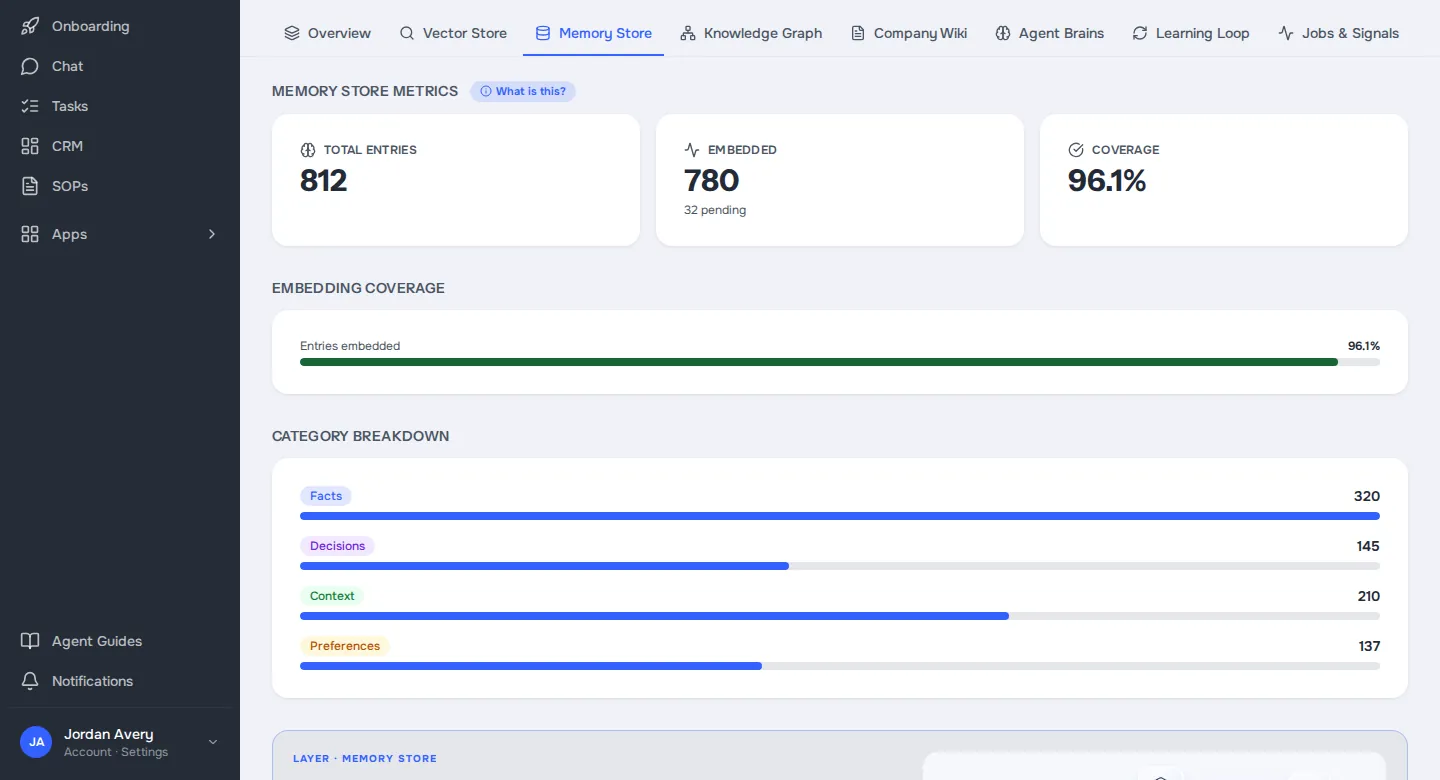
| Kinds of memory | Memory store, search index, knowledge graph, company wiki |
| New lessons | Approve, decline or defer each one |
| Who sees it | Workspace admins |
Without it, each agent keeps its own notes, so a correction you make in one place is lost in another. With Ai1 Memory, the memory store, search index, knowledge graph and company wiki are one system, and a lesson you approve reaches every agent.
Four kinds of memory. Memory store, search index, knowledge graph and company wiki, each with its own health view.
Signals kept separate. Day-to-day operating signals are shown apart from the data-health score.
Inside the app
Real app screens, shown with a demo account. Every name, company and figure in them is sample data.
How it works
Memory is shared across agents, so a fact you correct once is correct everywhere.
Knowledge from your documents and tools is gathered in one place.
See how healthy each kind of memory is, and where the gaps are.
Approve, decline or defer each lesson an agent proposes.
Every agent works from the same, approved knowledge.
Built-in guardrails
Ai1 Memory runs inside Ai1, under the same rules as every agent.
Better together
Where Ai1 Memory fits.

Agent. Reviews the knowledge updates your expert agents propose before they are used.
The full story of the Brain and its memory systems.
Common questions
What the agents remember about your business, how healthy that memory is, and the lessons waiting for review.
An agent can propose a lesson. It is kept only after you approve it.
Workspace admins. Ask an administrator if you need access.
On your own Ai1 server, alongside the rest of your data.
Yes. Ai1 Memory is part of Ai1 and ready to use.
Book a call and we will show you how Ai1 Memory keeps every agent on the same page.